- Empty cart.
- Continue Shopping

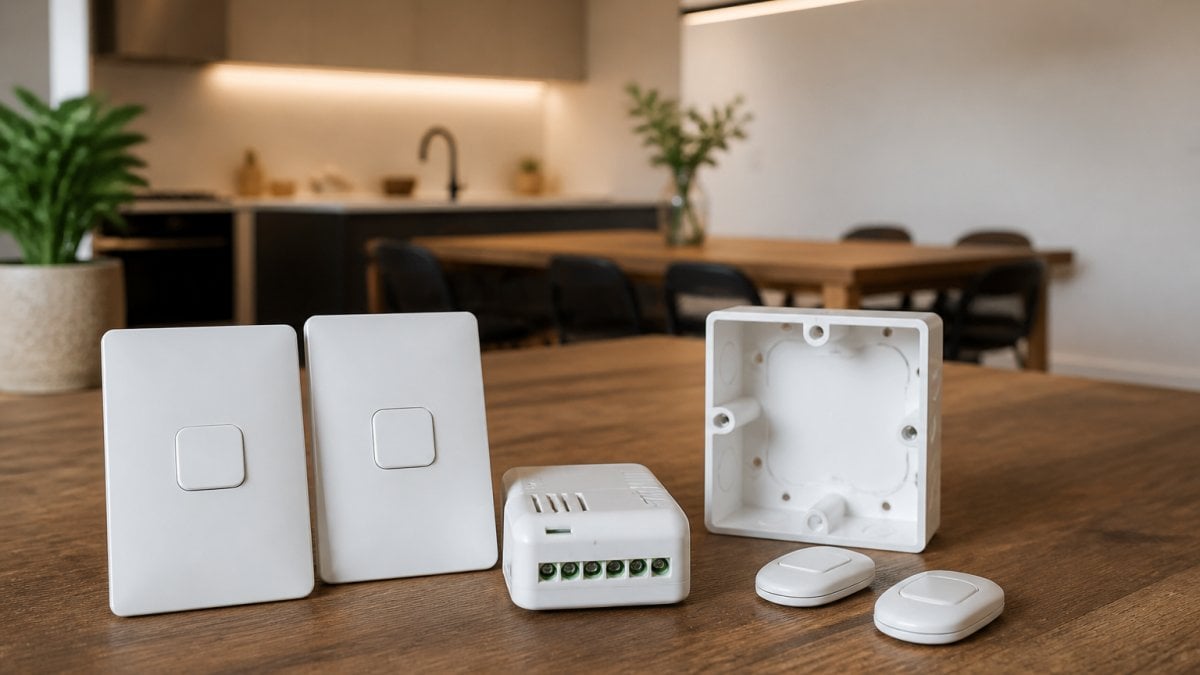
Table of Contents
- What Wireless Light Switch Kits Do and Why They Matter
- How Kinetic Wireless Light Switches Differ from Standard Smart Switches
- Wireless Switch and Receiver Systems: The Core Components
- Installing Wireless Light Switches Without In-Wall Wiring
- Wireless Light Switches for Existing Lights: Compatibility and Limitations
- Cost Comparison: Wireless Kits Versus Traditional Rewiring
- Common Concerns and Practical Realities
- Frequently Asked Questions
Last Updated: 12 October 2026
What Wireless Light Switch Kits Do and Why They Matter
A wireless light switch kit in Australia eliminates the need for running new electrical cables through walls, ceilings, or floors. Instead of traditional rewiring, these systems use battery-powered transmitters paired with wireless receivers that control your lights. The receiver sits behind or beside your existing light fixture, and the wireless switch communicates with it via radio frequency.
This approach solves a real problem: major renovations and retrofits often require costly wall-breaking, plaster repair, and extended labour. For electricians, builders, and property managers, a wireless light switch kit in Australia can cut installation time significantly whilst maintaining full control over lighting zones and automation.
The appeal is straightforward. You get smart lighting control without the disruption of traditional in-wall wiring. Whether you’re retrofitting an aged care facility, upgrading a retail space, or managing a renovation project, the ability to install lighting controls without structural damage changes the economics of the job.
How Kinetic Wireless Light Switches Differ from Standard Smart Switches
Kinetic wireless light switches operate on a different principle from conventional smart switches. A kinetic switch generates its own power through the mechanical action of pressing the button, meaning it needs no battery. Standard smart switches, by contrast, require either a neutral wire in the wall or a dedicated battery.
This distinction matters in older buildings. Many properties in Australia were built without neutral wires at each switch location. Traditional smart switches often won’t work in those setups. A kinetic wireless light switch bypasses that problem entirely, it works anywhere you can mount a transmitter.
The trade-off is range and feature set. Kinetic switches typically have a shorter wireless range than battery-powered alternatives and may offer fewer integration options with broader smart home ecosystems. Standard smart switches, when they do work, often integrate more seamlessly with platforms like Google Home or Alexa.
For electricians and contractors focused on retrofit applications, kinetic wireless light switches represent a practical middle ground. They solve the neutral wire problem without requiring battery management or frequent replacements.
Wireless Switch and Receiver Systems: The Core Components
A wireless light switch and receiver system consists of three essential parts: the transmitter (the wireless switch itself), the receiver module, and the power source.
The transmitter is what the user interacts with. It can be battery-powered or kinetic. Battery-powered transmitters offer longer range and more features; kinetic transmitters require no battery but have shorter range. Both communicate wirelessly to the receiver.
The receiver module is the workhorse. It sits at the light fixture, in the switch box, or nearby, and it’s the component that actually controls power to the light. When the transmitter sends a signal, the receiver switches the light on or off. Receivers come in different configurations: some fit into standard switch boxes, others mount on DIN rails or sit in external enclosures.
The power source for the receiver varies by system. Some receivers draw power directly from the light circuit itself, whilst others require a separate neutral wire or dedicated power supply. This is where compatibility questions arise, particularly in older properties without neutral wires at switch locations.
Understanding these three components helps explain why a wireless light switch and receiver system works where traditional smart switches might fail. The receiver doesn’t need to be at the switch location, it can be anywhere near the light, giving installers flexibility that wired systems don’t offer.
Installing Wireless Light Switches Without In-Wall Wiring
Installing a wireless light switch kit in Australia without in-wall wiring is fundamentally simpler than traditional rewiring, but the exact process depends on your setup and the receiver type you choose.
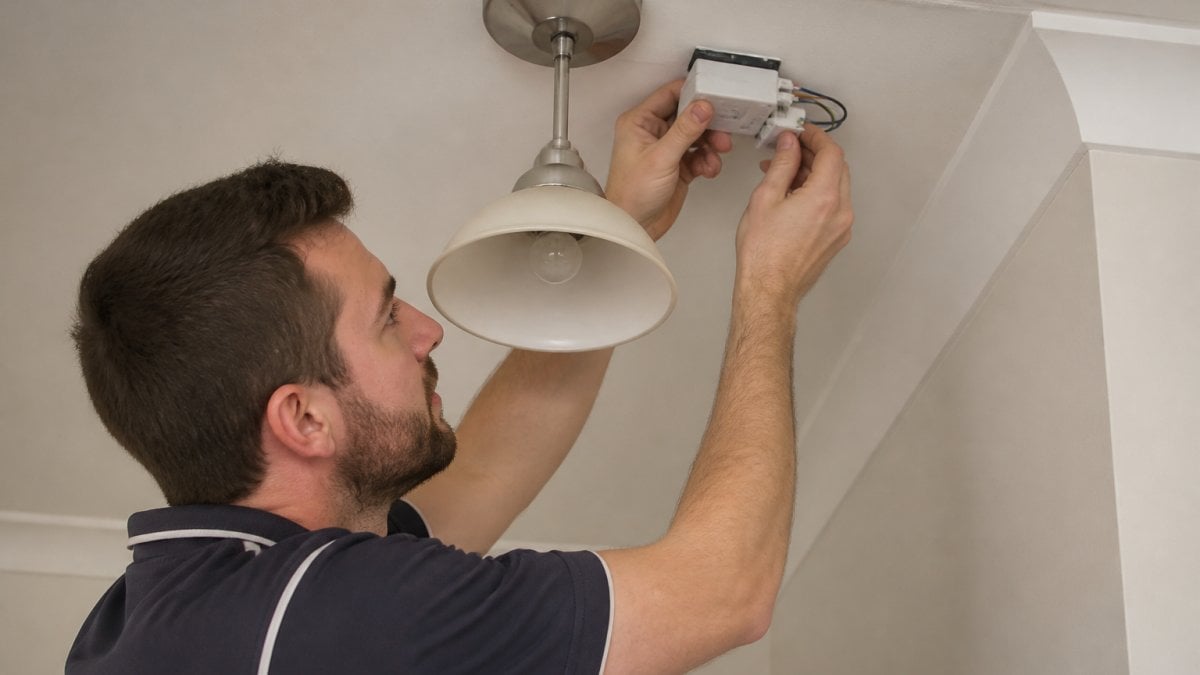
For most retrofit applications, the process follows this sequence: turn off power at the circuit breaker, remove the existing switch plate, disconnect the old switch (if replacing), and mount the receiver module near the light or in the switch box. Connect the receiver to the light circuit according to the manufacturer’s instructions, this typically involves connecting the live and neutral wires, with no need to run new cables. Mount the wireless transmitter on the wall where you want the switch to be, pair it with the receiver via a simple button sequence, and test the connection.
The beauty of this approach is that it works in spaces where running new wiring would be destructive or impractical. In heritage properties, heritage-listed buildings, or commercial spaces with finished ceilings, a wireless light switch kit in Australia avoids the cost and disruption of wall breaking.
Retrofit applications and existing properties
Retrofit installations are where wireless systems shine. In a renovation project, you might need to add switching to a newly opened room or control lights from a different location without cutting into walls. A wireless light switch and receiver setup lets you do this in hours rather than days.
Common retrofit scenarios include adding a switch to control lights from a new entry point, creating zone control in open-plan spaces, or retrofitting accessible lighting controls in aged care or disability support environments. Because the transmitter is wireless, you can move it if your needs change, something impossible with hardwired switches.
The main limitation in older properties is power availability. If the receiver needs a neutral wire and your property doesn’t have one at the light location, you’ll need either a different receiver type or a workaround like running a neutral wire from elsewhere on the circuit. This is where a qualified electrician’s knowledge of your specific installation becomes essential.
New build integration
In new construction, wireless light switch systems offer builders flexibility and cost savings. During the rough-in phase, electricians can run power to light fixtures without committing to specific switch locations. Switches can be positioned based on final design decisions, and locations can be changed without rework.
For commercial new builds, retail shops, hospitality venues, offices, a wireless light switch kit in Australia simplifies lighting design. Zone control, scene setting, and future modifications become straightforward. If a tenant reconfigures their space, the lighting controls adapt without rewiring.
Builders also benefit from reduced labour time. Installing receivers at light fixtures and pairing transmitters takes less time than running new switch circuits, particularly across large floor plates or complex layouts.
Wireless Light Switches for Existing Lights: Compatibility and Limitations
Not every existing light works seamlessly with every wireless system. Compatibility depends on the light type, the receiver’s power requirements, and the existing circuit configuration.
LED downlights, standard incandescent or halogen fittings, and fluorescent fixtures generally work with wireless receivers, but some LED drivers can cause issues. Certain dimmable LED fittings require specific receiver types to avoid flickering or failure. Always verify compatibility with the manufacturer before installation.
The most common compatibility issue is power supply. Many wireless receivers need a neutral wire to function. Older properties sometimes lack neutral wires at switch locations, requiring either a different receiver design or creative electrical work to source a neutral from elsewhere on the circuit. This is a real constraint, not a minor inconvenience, it’s the reason many older properties can’t use standard smart switches either.
Motion sensors, daylight harvesting controls, and other automation features work with wireless systems, but they require compatible receivers and transmitters. Integration with broader smart home platforms (voice control, scheduling apps, energy monitoring) varies by manufacturer. Gem Wireless systems offer mobile application control and seamless integration with existing systems, but always confirm feature compatibility before committing.
The practical reality: a wireless light switch for existing lights works best when you’re starting with a clear picture of your circuit configuration and fixture types. Surprises during installation are rare if you’ve verified these details upfront.
Cost Comparison: Wireless Kits Versus Traditional Rewiring
The cost advantage of wireless systems lies primarily in labour, not equipment. Traditional rewiring requires cutting walls, running cables through conduit or cavities, patching plaster, and repainting. A wireless light switch kit in Australia avoids most of this disruption.
For a single-switch retrofit, the labour saving might be modest. For a multi-zone retrofit or a commercial space requiring significant rewiring, the difference becomes substantial. Electricians spend less time on site, property owners avoid repair costs, and projects complete faster. Such efficiency gains often provide the necessary budget flexibility to address broader electrical infrastructure needs, such as the various switchboard upgrade costs that arise when modernising an ageing distribution system.
Equipment costs vary. A wireless light switch and receiver system typically costs more per unit than a basic hardwired switch, but when you factor in cable, conduit, wall repair, and the electrician’s time to install them, the total project cost often favours wireless. This is particularly true in heritage properties or spaces where wall damage carries additional costs.
The comparison also depends on scale. For a single light, traditional wiring might be cheaper. For ten lights across multiple rooms, wireless systems usually win on total cost. Gem Wireless offers significant cost savings in wiring and labour, with easy installation for new builds and retrofits, which directly addresses this calculation.
Property managers and builders should run the numbers for their specific project, but the general principle holds: wireless systems reduce labour and disruption costs that traditional rewiring cannot avoid.
Common Concerns and Practical Realities
Several objections come up regularly when discussing wireless light switch systems. Understanding the reality behind each one helps with decision-making.
Will the wireless signal work reliably? Modern wireless systems operate on strong radio frequencies designed for building penetration. Range varies (typically 30-100 metres depending on the system and environment), but interference from WiFi or other devices is rare.
What happens if the battery dies? Battery-powered transmitters typically last 3-5 years depending on usage. Kinetic switches never need a battery. Most systems alert users when battery levels are low, giving time to replace them. This is a maintenance task, not a reliability problem.
Can I move the switch later? Yes. This is one of the genuine advantages of wireless systems. If your needs change, the transmitter can be repositioned or removed entirely without any rewiring. Try that with a hardwired switch.
Will this work with my existing lights? Usually yes, but verify compatibility with your specific fixtures and circuit configuration. An electrician familiar with wireless systems can assess your setup and confirm whether standard receivers work or whether you need a specialist variant.
Is the system secure? Modern wireless systems use encrypted communication and pairing protocols to prevent unauthorised access. Security is comparable to other wireless smart home devices.
The practical reality is that wireless light switch systems are mature technology. They work reliably in residential and commercial settings when installed correctly. The concerns that linger are often based on older technology or misunderstandings about how they function.
Wireless lighting control doesn’t have to mean expensive rewiring or accepting limitations imposed by your building’s age or layout. A wireless light switch kit in Australia gives you the flexibility to add smart control where it makes sense, without the cost and disruption of traditional installation methods.
Frequently Asked Questions
How does a wireless light switch kit work?
A wireless light switch kit uses a kinetic or battery-powered transmitter (the switch) that communicates wirelessly with a receiver module installed at the light or in the circuit. When you press the switch, it sends a signal to the receiver, which controls the light. No in-wall wiring is required between the switch and receiver, making installation faster and less disruptive than traditional rewiring.
Can I install a wireless light switch kit without rewiring my property?
Yes. Wireless light switch kits are designed to work without new in-wall wiring. The receiver module connects to your existing light circuit or fixture, and the wireless switch can be placed anywhere within signal range. This makes them ideal for retrofits, renovations, and properties where rewiring would be expensive or impractical.
Do wireless light switch kits work with existing LED lights?
Most wireless light switch kits are compatible with LED lights, but compatibility depends on the receiver module and your existing wiring configuration. Some older properties without a neutral wire in the walls may require specific receiver types. Check with your installer or supplier to confirm compatibility with your current lighting setup before purchasing.
What’s the difference between kinetic wireless switches and battery-powered ones?
Kinetic wireless switches generate power from the physical action of pressing the button, so they never need battery replacement. Battery-powered wireless switches require periodic battery changes. Kinetic switches offer greater long-term convenience and lower maintenance, though both types communicate wirelessly with receiver modules in the same way.
kinetic wireless light switchwireless light switch kit australiawireless light switch kit in australiawireless light switch no wiringwireless switch and receiver