- Empty cart.
- Continue Shopping
Wireless Switch Kits vs Traditional Wiring: Cost Breakdown
- Posted on
 Strong Digital
- 0
- Categories: Blog
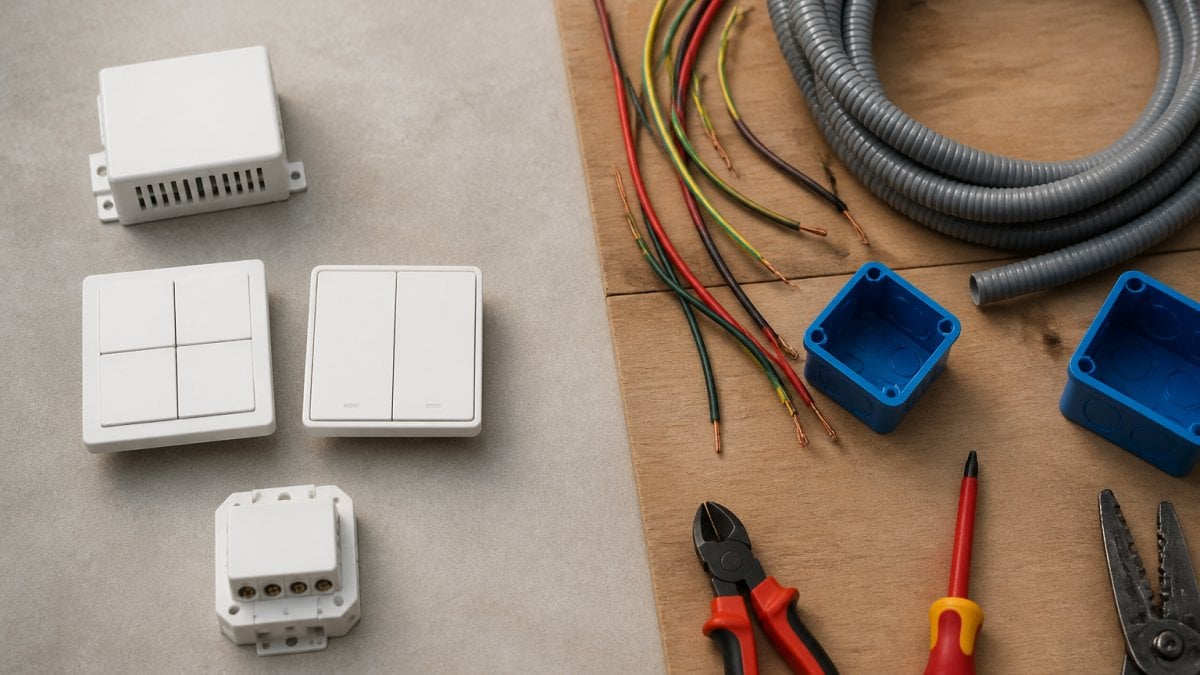
Table of Contents
- Wireless Switch Kits vs Traditional Wiring: The Cost Comparison
- Wireless Light Switch Installation Cost: Breaking Down the Numbers
- Wireless Switches vs Wired Switches: Material and Equipment Costs
- Wireless Switch Installation Labour: Where the Real Savings Appear
- Electrician Quote Comparison: What to Ask For
- Hidden Costs and Considerations
- Which Option Makes Sense for Your Project
- Frequently Asked Questions
Last Updated: October 19, 2026
Wireless Switch Kits vs Traditional Wiring: The Cost Comparison
When you’re planning a renovation or new build, the electrical work often becomes one of your biggest cost drivers. Traditional in-wall wiring requires running cables through walls, drilling holes, and paying electricians for hours of labour. Wireless switch kits offer a different approach, one that can shift where your money actually goes.
The choice between these two approaches isn’t just about upfront expense. It’s about how you deploy your budget across materials, labour, and timeline. Some projects favour one method; others benefit from mixing both. Here’s what you need to know to make the right call for your situation.
What Drives the Cost Difference
The fundamental difference between wireless switch kits vs traditional wiring comes down to installation complexity. Traditional wiring requires electricians to run new cables through walls, a process that involves cutting, drilling, routing, and testing. Wireless switch kits eliminate that step entirely.
This architectural difference reshapes your cost structure. Material costs for wireless kits tend to be higher per unit than basic wired switches. However, labour costs drop significantly because the installation is simpler and faster. For most projects, the labour savings outweigh the higher equipment cost. But the maths changes depending on your project type, new builds, retrofits, and renovations each have different cost profiles.
Wireless Light Switch Installation Cost: Breaking Down the Numbers
A wireless light switch installation cost depends on three variables: the kit itself, the electrician’s time, and any additional work needed to integrate with existing systems.
For a typical installation, an electrician working with wireless switch kits spends roughly 15-30 minutes per switch location. Traditional wiring at the same location takes considerably longer, often 60-90 minutes per switch, because the electrician must route cables, cut into walls or conduits, terminate connections, and perform safety tests.
The time difference compounds across a full project. A renovation adding 8 new switch locations using traditional wiring might require 12-15 hours of electrician labour. The same project with wireless kits might need 4-6 hours. At typical hourly rates, that’s a meaningful gap.
The real cost comparison hinges on your electrician’s hourly rate and how many switches you’re adding. Projects with many new switch locations favour wireless kits. Projects with just one or two new switches might not justify the higher per-unit equipment cost.
Pro Tip
When getting quotes, ask your electrician to break down labour hours separately from materials. This makes the wireless switch kits vs traditional wiring comparison transparent and helps you see exactly where the savings occur.
::: Gaining this level of clarity provides a solid foundation for a broader home automation comparison that weighs the long-term flexibility of smart systems against the reliability of conventional electrical infrastructure.
When getting quotes, ask your electrician to break down labour hours separately from materials. This makes the wireless switch kits vs traditional wiring comparison transparent and helps you see exactly where the savings occur.
::: Gaining this level of clarity provides a solid foundation for a broader home automation comparison that weighs the long-term flexibility of smart systems against the reliability of conventional electrical infrastructure.
Wireless Switches vs Wired Switches: Material and Equipment Costs
Material costs form the foundation of any electrical project budget. Wireless switches vs wired switches differ significantly in what you’re actually purchasing.
Traditional wired switches require cable (typically twin-core or three-core depending on your circuit), conduit or cable trays to route it, junction boxes, switch plates, and the switches themselves. You’re buying by the metre for cable and conduit, which adds up quickly on larger projects.
Wireless switch kits bundle the receiver, remote switch, and any necessary mounting hardware into a single unit. You purchase per location rather than by the metre.
For a retrofit or renovation where you’re adding switches to an existing space, wireless kits avoid the cost of cutting into walls or running cables through tight spaces.
Wireless switch kits cost more per unit but eliminate the material cost of cable runs. Traditional wiring costs less per switch but requires significantly more materials overall when you factor in cable, conduit, and junction boxes.
Wireless Switch Installation Labour: Where the Real Savings Appear
Labour is where wireless switch kits vs traditional wiring costs show their clearest difference. Installation labour represents the single largest cost variable in most electrical projects.
Labour Reduction in Renovations
Renovations present the strongest case for wireless kits because traditional wiring becomes expensive and disruptive. Running new cables through existing walls means cutting into plasterboard, routing through cavities, and patching afterwards.
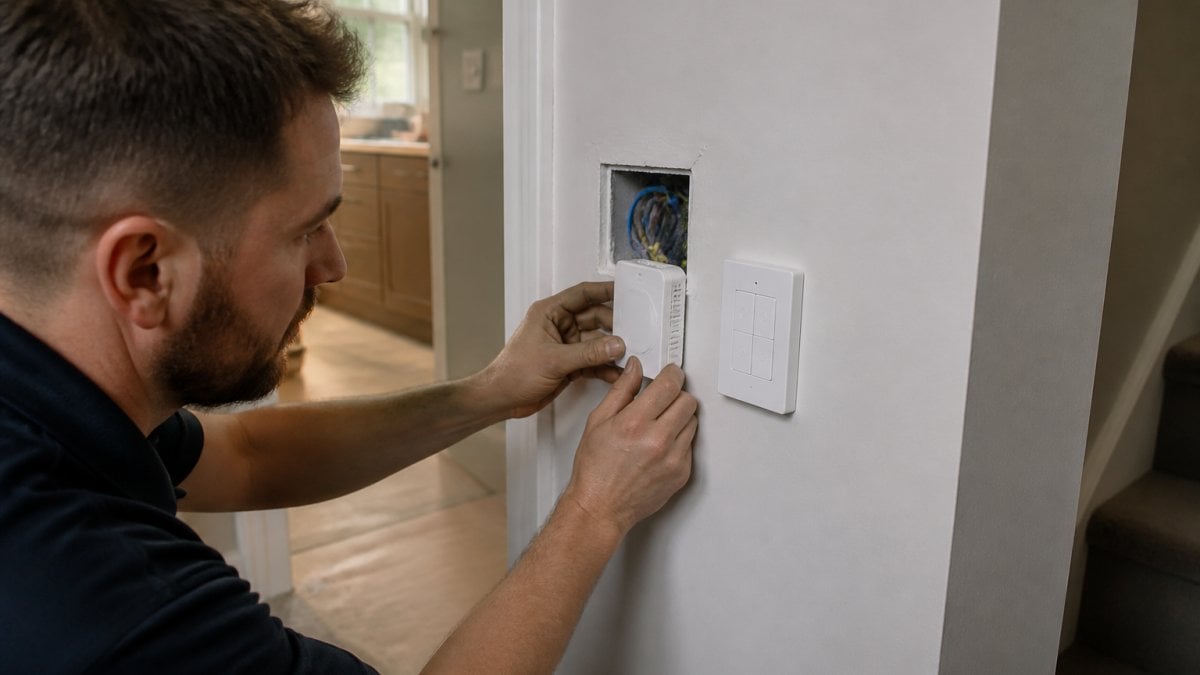
The same location with a wireless kit takes 20 minutes: mount the receiver, position the remote switch, test the connection. The labour saving per switch is substantial. Across a 10-switch renovation, you’re looking at potentially 10-12 hours of labour saved.
Wireless kits also reduce disruption. No cutting into walls means less mess, faster completion, and less patching and painting work afterwards. For occupied properties or heritage buildings where wall cutting is restricted, wireless kits become the practical choice regardless of raw cost.
Labour Efficiency in New Builds
New builds show a different pattern. During construction, electricians plan cable runs as part of the overall electrical design. Running cable through walls is already happening, it’s part of the standard workflow.
However, wireless kits still offer labour advantages in new builds, particularly for:
- Design changes late in construction (relocating switches without rerouting cable)
- Complex lighting schemes requiring many switch locations
- Situations where future flexibility matters (you can reposition switches without rewiring)
The labour saving in new builds is real but smaller than in renovations. You’re saving the time to run cable, but you’re not saving the disruption cost because there’s no disruption to avoid.
Electrician Quote Comparison: What to Ask For
When you’re comparing quotes from electricians, you need to understand what you’re actually paying for. A good quote breaks down the wireless switch kits vs traditional wiring costs into clear components.
Ask your electrician for:
- Labour hours per switch location (separate for each method)
- Material cost breakdown (equipment, cable, conduit, fittings)
- Any additional costs (wall patching, testing, integration with existing systems)
- Timeline difference (how many days each method takes)
- Warranty or support (what happens if something fails)
A quality quote lets you compare apples to apples. One electrician might quote lower labour rates but higher material costs; another might reverse that. By seeing the components, you can evaluate the real value.
Ask specifically whether the electrician has experience with wireless switch kits. Some electricians are more familiar with traditional wiring and may quote wireless installations conservatively (building in extra time because they’re less familiar). Others specialise in wireless systems and can work faster. Experience matters for accuracy.
Watch Out
A quote that doesn’t break down labour and materials separately is hard to evaluate. Push back and ask for itemisation. This also reveals whether your electrician understands the cost drivers of each method.
A quote that doesn’t break down labour and materials separately is hard to evaluate. Push back and ask for itemisation. This also reveals whether your electrician understands the cost drivers of each method.
Hidden Costs and Considerations
Beyond the obvious labour and material costs, several factors can shift the total cost of wireless switch kits vs traditional wiring.
Compatibility and System Integration
Wireless switch kits work with most standard lighting circuits, but compatibility isn’t universal. Older buildings with unusual wiring configurations, or properties with no neutral wire in the walls, may require additional work to make wireless kits function properly.
If your property has an unusual electrical setup, get a site assessment from your electrician before committing to wireless kits. The assessment might reveal that traditional wiring is simpler for your situation.
System integration also matters. If you’re building a smart home with centralised control, wireless kits designed for integration (like those from Gem Wireless) can simplify your overall system. Traditional wiring doesn’t offer this advantage, you’re installing basic switches, not a connected system.
Maintenance and Support
Traditional wired switches rarely need maintenance. Once installed and tested, they work reliably for decades. Wireless systems require ongoing support, battery replacement in some models (though battery-free options exist), firmware updates, and troubleshooting if connections drop.
When evaluating wireless switch kits vs traditional wiring costs, factor in long-term support. Will your electrician be available if something fails? Does the manufacturer provide warranty and support? Gem Wireless offers ongoing support and system integration assistance, which adds value beyond the initial installation.
Traditional wiring has no ongoing cost, but it also offers no flexibility for future changes. Wireless systems cost more to maintain but allow you to adapt your lighting control as needs change.
Which Option Makes Sense for Your Project
The right choice depends on your specific situation. Use this framework to decide:
Choose wireless switch kits if:
- You’re doing a renovation and want to avoid cutting into walls
- You need to add many switch locations (8 or more)
- You want flexibility to reposition switches in future
- You’re building a smart home with centralised control
- Your electrician is experienced with wireless systems
Choose traditional wiring if:
- You’re doing a new build where cable runs are already planned
- You’re adding only one or two switches
- You want the lowest possible upfront cost
- Your property has an unusual electrical setup that complicates wireless installation
- You prioritise simplicity and zero ongoing maintenance
Consider a hybrid approach if:
- Part of your project suits wireless (complex renovated areas) and part suits traditional wiring (new construction areas)
- You want wireless flexibility in some areas and traditional reliability in others
For most renovation projects, wireless switch kits deliver better value because labour savings outweigh higher equipment costs. For new builds, the decision is closer, traditional wiring might edge ahead on cost, but wireless kits offer design flexibility that justifies the difference.
Best For
Renovation projects with multiple new switch locations, where avoiding wall disruption justifies the higher equipment cost and delivers faster completion.
Renovation projects with multiple new switch locations, where avoiding wall disruption justifies the higher equipment cost and delivers faster completion.
Getting accurate quotes from your electrician is the first step. Ask them to compare wireless switch kits vs traditional wiring costs specifically for your project, with labour and materials itemised separately. The numbers will show you exactly where the savings occur. If you’re considering wireless automation for your project, contact Gem Wireless for a project assessment, our team can review your electrical layout and provide specific recommendations for where wireless kits make the most sense.
Frequently Asked Questions
Are wireless switch kits cheaper than traditional wiring?
Wireless switch kits typically reduce total project costs by eliminating the labour-intensive work of running new cables through walls. Material costs for wireless kits and traditional wiring are often comparable, but wireless systems avoid the substantial labour expense of chasing walls, drilling, and rewiring. The savings are most significant in renovations where wall disruption would otherwise be extensive. For new builds, the advantage depends on the design complexity and switch locations. Request quotes from your electrician for both approaches to see the specific cost difference for your project.
What costs should I include when comparing wireless switches with wired switches?
Compare the full project cost, not just equipment price. For traditional wiring, include cable, conduit, labour for wall chasing or drilling, making good (patching and painting), and electrician callout fees. For wireless switch kits, include the kit cost, installation labour (typically much shorter), and any mobile app setup. Don’t overlook ancillary costs: permits, inspections, temporary access, and disruption to occupied spaces. Ask your electrician to itemise labour hours separately so you can see exactly where wireless systems save time.
Can wireless switch kits reduce labour during a renovation?
Yes, significantly. Wireless switch kits eliminate the need to run new cables through existing walls, which is the most time-consuming part of traditional rewiring. Instead of chasing walls, drilling, and threading cable, installation becomes a plug-and-play process. This reduces electrician hours on site and avoids the follow-on costs of making good walls. The labour saving is most dramatic when switches need to be relocated away from existing cable routes or when access to walls is limited.
Does a wireless switch kit need to be installed by a licensed electrician?
Installation requirements depend on your local regulations and the scope of work. In most cases, connecting a wireless receiver to the light circuit itself requires a licensed electrician to ensure safety and compliance. The wireless switch itself (the remote control element) may not require a licensed installer, but your electrician should verify this for your specific setup. Always check with a qualified electrician before purchasing to confirm what work can be done and what requires professional installation.
What happens if wireless switch modules fail or need support?
Reliability and support are critical factors when choosing a wireless system. Select a provider with a track record of responsive customer support and clear warranty terms. Wireless modules are generally durable, but like any electronic system, they can occasionally fail. Ensure the manufacturer offers spare parts, repair or replacement options, and technical support you can rely on. Family-owned providers often offer more personalised support than larger corporations. Confirm support availability in your region before committing to a system.
wireless light switch installation costwireless switch kits vs traditional wiringwireless switch kits vs traditional wiring costswireless switches vs wired switches