- Empty cart.
- Continue Shopping
Change a One-Way Switch to Two-Way: Your Australian Guide
- Posted on
 Strong Digital
- 0
- Categories: Uncategorized
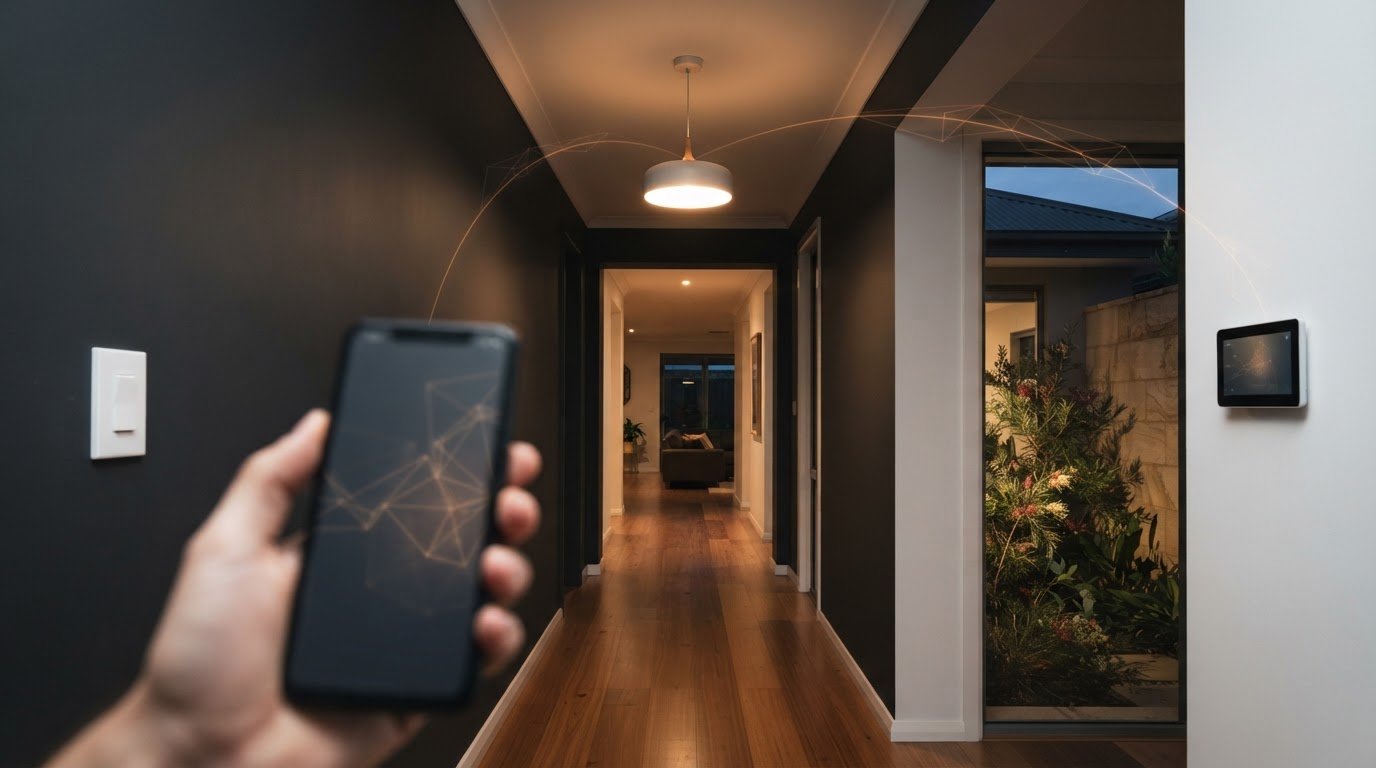
What if adding a second switch didn’t mean opening your walls? If you want to change one way switch to two way, you’re probably looking for a straightforward way to control the same light from two locations without turning a small upgrade into a renovation.
Running cable between switches is one traditional option. Wireless switching hardware can add a control point without new wiring through the walls. The right approach depends on your existing setup, access for cable work and where you want the second control point.
This guide explains how one-way and two-way switching differ, compares wired and wireless options, and outlines what to consider before making a change. Work on fixed electrical wiring isn’t a DIY job in Australia, so you’ll also learn when to use a suitably licensed electrician. With the options laid out clearly, you can plan a safer, more convenient way to control your light while avoiding unnecessary wall damage.
Key Takeaways
- Two-way switching lets two switch points control one light, while a one-way switch controls it from a single location.
- To change one way switch to two way, compare conventional wiring with wireless switching before choosing an approach.
- Wall access, cable routes and your preferred switch positions can help you understand how much disruption each option may involve.
- Plan by identifying the light, both control locations and how you want to use the switches.
- Gem Wireless switching hardware works with existing switches and lights, offering a no-rewire option for adding a control point.
What does it mean to change a one-way switch to two-way?
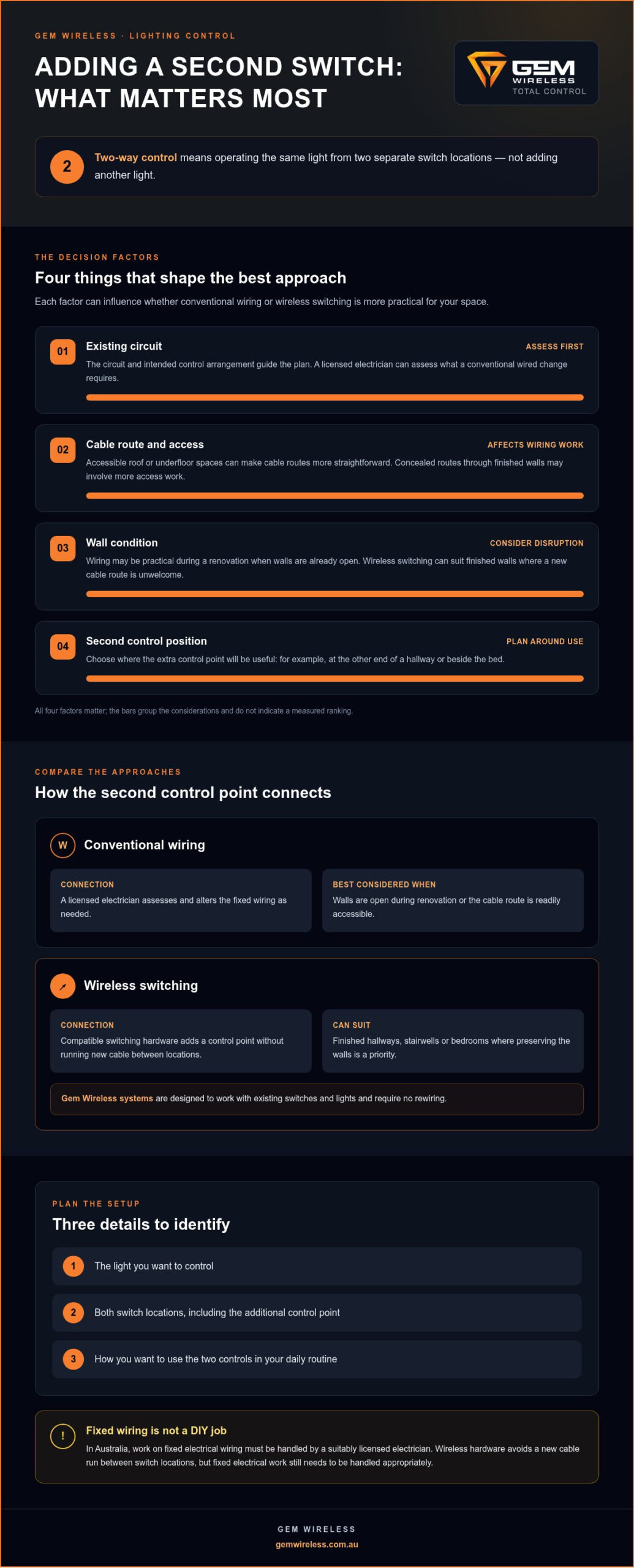
Two-way switching lets you control one light from two switch points. One-way switching controls a light from one location. So, to change one way switch to two way, the goal isn’t to add another light. It’s to give yourself another place to operate the same one.
Picture a hallway with a switch at one end and a light in the middle. With one-way control, you need to return to that switch to turn the light off. Add a second control point at the other end, and you can operate the light from whichever end is more convenient. The same arrangement can be useful in a bedroom, with one control point near the door and another beside the bed.
The extra control point can be added in different ways. Conventional two-way switching uses a wired arrangement planned for the existing circuit. Wireless switching hardware offers another approach, adding a control point without running new wiring through the walls. The principle is part of multiway switching, which covers systems that control a light from more than one location.
How is a one-way switch different from a two-way switch?
The difference is how many locations can control the light, not the light itself. A one-way setup has a single control point; a two-way setup has two. For example, a bedroom light controlled only at the door is one-way. Control at both the door and bedside makes it two-way. The switches and switching arrangement must suit the intended setup, so don’t assume one type of switch can simply replace another.
What does two-way switching let you do?
Two-way switching allows you to turn the same light on or off from either of two separate switch locations. It’s useful at opposite ends of a hallway or at the top and bottom of a stairway, where reaching one switch after using the other would be inconvenient.
With a conventional wired arrangement, a switch’s physical position can vary depending on how the other control point was last used. In practice, you operate either switch to change the light’s state; you don’t need to work out which switch position should mean “on”. Wireless arrangements can use a different setup, but the everyday aim is the same: control one light from two useful places.
The best approach depends on the existing circuit, whether the walls are finished, how accessible a cable route is and where you want the second control point. A renovation may make cable access easier, while a finished hallway or stairwell can make avoiding new cable routes especially appealing. Start by considering the location and your daily routine, then compare the options that suit the space.
How can a one-way light become controllable from two locations?
There are two broad ways to add another control point: alter the fixed wiring for conventional two-way switching, or use compatible wireless switching hardware. Both let you control the same light from another location, but they differ in how the new control point connects to the lighting circuit.
Wired switching changes the circuit; wireless switching adds a control point without running new cable between locations. Consider the existing circuit, access for cable work and how much disruption you’re prepared to plan for.
What changes with conventional two-way wiring?
For a wired setup, a licensed electrician assesses the existing circuit and alters the fixed wiring as needed to provide control from both switch locations. The route between them matters. Accessible roof or underfloor spaces may make cable routes more straightforward, while concealed cabling behind finished walls can involve more access work. The electrician can assess the circuit and practical access before deciding the scope. This is fixed electrical work, not a switch swap to attempt yourself.
Wired control can be practical if walls are already open during a renovation or the cable route is readily accessible. If the walls are finished, the proposed switch is far from the existing one, or the route crosses difficult parts of the home, the access work may affect your decision. The existing circuit and intended control arrangement still need to guide the plan.
How can wireless switching add another control point?
A wireless arrangement uses compatible switching hardware to add a control point for the light. The new control point can be placed where it’s useful without running a new cable through the wall between switch locations.
This can suit a finished hallway, a stairwell or a bedroom where opening walls for a cable route would be unwelcome. Gem Wireless switching systems are designed to work with existing switches and lights and require no rewiring. When planning, identify the light to be controlled, the additional switch position and how you want to use both controls.
Wireless switching modules are one option to consider when fitting a control point into an existing lighting setup. They can be particularly relevant when preserving finished walls is a priority.
For a conventional wired change, a licensed electrician handles the fixed wiring. Wireless hardware provides another way to add a control point without a new cable run, though fixed electrical work still needs to be handled appropriately. To explore the hardware approach, see Gem Wireless switching options.
Wired or wireless: which way should you add a second switch?
Neither approach suits every home. The practical choice depends on the existing circuit, access for cable work, the condition of the walls and where you want the extra control point. Use this comparison to decide what to explore before planning how to change one way switch to two way.
What to compare
Conventional wiring
Wireless switching
Wall access
Cable routes need to be accessible or made accessible.
Can suit finished walls where a new cable run is unwelcome.
Cable work
A licensed electrician alters fixed wiring as required.
Compatible wireless hardware adds control without running new wiring between locations.
Disruption
May be easier to plan during renovation or other work that opens walls.
Avoids opening walls just to route a cable to the additional switch.
Switch placement
The cable route and building access can influence the practical position.
Can provide flexibility to place another control where it’s useful, subject to compatible hardware.
When might conventional wiring make sense?
Wired switching may be worth discussing with a licensed electrician if you’re renovating, the walls are already open or the route between locations is accessible. The existing circuit and switch arrangement affect the work required, so the same plan won’t suit every light. Consider whether the added switch location is near a practical cable route and whether the work can be coordinated with other changes in the home.
When might wireless switching be a practical alternative?
Wireless control may suit a home with finished walls or a second switch location that would be difficult to reach with new cable. Gem Wireless systems are designed to work with existing switches and lights without rewiring. This approach can help avoid cable runs through walls. For broader kit-selection context, explore this Australian wireless switch kit guide.
Think about what matters most in your space: straightforward access for wiring, minimal disruption or a particular position for the extra control. A renovation can make wiring easier to plan; preserving finished surfaces may make wireless hardware appealing. Neither is automatically the better answer. Match the switching method to the existing setup and your priorities, and leave fixed electrical work to a licensed electrician.
If you’re considering a no-rewire option, explore Gem Wireless switching hardware as part of your planning.
What to do before changing a one-way switch to two-way?
A little planning can help clarify whether wired or wireless control is the better fit before work begins. To change one way switch to two way, start with the light you want to control and the two places you’d like to operate it from. You can gather useful details without touching electrical fittings.
- Identify the light. Note the room, the light fitting and the switch that currently operates it. If several lights are controlled together, record that too.
- Choose both control locations. Mark where the existing switch is and where an additional control point would be most useful in everyday life.
- Check the room and renovation plans. Note whether walls are finished, being renovated or likely to be opened for other work.
- Observe access, not the wiring. From outside electrical fittings, note whether roof or underfloor spaces appear accessible for a potential cable route. Don’t remove switch plates or fittings to investigate.
- Describe the control you want. Explain whether you want to retain the existing switch and add another point, and how you expect to use both controls.
What details help clarify the right switching approach?
These observations give a licensed electrician a clearer starting point for assessing a wired option, and help you consider whether wireless switching hardware suits your plans. Include whether the property is undergoing renovation, whether wall surfaces need to remain untouched and any practical limits on switch placement. You don’t need to identify wires or determine the circuit yourself.
The existing switch and lighting arrangement can affect what’s suitable. Note what the switch appears to control and whether it operates one light or a group. Don’t remove a cover or fitting to check what’s behind it. Clear notes and a simple sketch of the room can help show the light, current control point and proposed location.
Which parts of the work need an electrical professional?
Planning switch locations is safe to do yourself; electrical installation and work on fixed mains wiring should be handled by a suitably licensed electrician. A professional can assess the fixed wiring, existing arrangement and suitability of the proposed change. Don’t open a switch plate, alter wiring or work on a live circuit as part of your planning.
If your notes point towards adding a control point without new cable runs, explore Gem Wireless switching hardware alongside the room layout and existing switches.
Add a second light control point with Gem Wireless switching
If a new cable route would mean disturbing finished walls, wireless switching hardware offers another way to add control. Gem Wireless systems are designed to work with compatible existing switches and lights without rewiring. Start by identifying the light, choosing where you’d like the additional control and deciding how you want to use both switch points.
How does a wireless retrofit fit an existing light setup?
In a wireless arrangement, compatible switching hardware adds a control point for an existing light setup without a new cable run between the two locations. The arrangement depends on the existing setup and the hardware used, so plan around the light and switches you want to control.
This can be useful in a hallway, stairwell or bedroom where cable access is awkward or preserving finished surfaces matters. The no-rewiring design avoids running new wiring to the added control point, but it doesn’t mean every part of an electrical job can be done without an electrician. Fixed wiring work should be handled by a suitably licensed electrician. For more context, see this no-rewire lighting control guide.
Before settling on an approach, write down three practical details:
- The light: note which existing light or lighting arrangement you want to control.
- The added control point: choose a position that makes sense for how you move through the room.
- The user experience: consider whether you want to keep using the existing switch while adding another convenient way to control the light.
These details help you compare a conventional wired change with wireless control. If renovation work makes cable routes accessible, discuss a wired option with a licensed electrician. If the walls are finished and you’d rather avoid a new cable run, explore wireless hardware designed for compatible existing switches and lights. The choice depends on the existing setup, the locations you need and the disruption you’re willing to plan for.
What is a sensible next step for your home?
To change one way switch to two way, start with the control locations you actually need, not with a wiring plan. Note the light, current switch position, proposed second position and whether walls or cable routes are accessible. That gives you a clearer basis for comparing options without opening fittings or attempting electrical work yourself.
Gem Wireless sells switching hardware and kits for wireless control, while fixed wiring work remains a job for a suitably licensed electrician. If a no-rewire approach fits your priorities, explore Gem Wireless switching options.
Plan a more convenient way to control your light
Before you decide how to change one way switch to two way, picture the routine you want to improve. Is the current switch awkward to reach at the end of the day? Would another control point make moving through the space easier? A clear idea of the location and use you need can help shape a practical next step.
If you’re considering wireless control, Gem Wireless systems are designed to work with existing switches and lights without rewiring. Fixed wiring work should still be handled by a suitably licensed electrician. Focus on the outcome you want, then choose an approach that fits your home and the work involved.
Explore Gem Wireless switching options and see whether wireless hardware could suit your planned control point. With the right approach, a small change in how you operate a light can make everyday movement around your home simpler.
Frequently Asked Questions
Can I change a one-way switch to two-way myself?
You can plan where you want the switches, but changing fixed wiring is a separate task. Electrical licensing requirements vary across Australian states and territories, so check the current rules where you live. Don’t open fittings or work on live wiring. A licensed electrician can assess a conventional wiring change. For a compatible setup, wireless switching may offer a no-rewire way to add another control point.
Is it possible to add a second light switch without rewiring?
Yes, wireless switching can add a control point without running new wiring when the existing switches and lights suit the hardware. For example, it may be worth exploring if you want another control location but would rather not route cable through a finished wall. This is different from altering fixed mains wiring, which may require an electrician. The right arrangement depends on the home’s existing setup.
What is the difference between a one-way and a two-way light switch?
A one-way arrangement operates a light from one switch location; a two-way arrangement lets you operate it from either of two locations. Think of a hallway where you want to control the light at both ends. “Two-way” describes how the light is controlled, not a different kind of light fitting. The number and arrangement of control points change, rather than the light itself.
Do I need an electrician to install a two-way light switch in Australia?
For fixed wiring work, use a suitably licensed electrician and follow the current requirements for your state or territory. Electrical licensing and safety rules can differ across Australia, so don’t rely on a general rule for every location. An electrician can assess the circuit and proposed change. Wireless hardware doesn’t make it appropriate to handle mains wiring without the qualifications required where you live.
Can a wireless switch control the same light as my existing switch?
It can when the existing light and switch arrangement are compatible with the wireless hardware. The retrofit approach adds a control point without a new wiring run, while the existing setup remains part of the arrangement. Compatibility depends on the hardware and setup. Leave any fixed wiring work to a licensed electrician, and consider wireless switching as an option for adding a control point.
Why would a two-way light switch not work after a change?
A problem may relate to an unsuitable switching arrangement, an installation error or an issue with the circuit. It isn’t possible to diagnose the cause safely from a description alone, so don’t remove the switch plate or attempt electrical troubleshooting. If the switch looks damaged, smells unusual or behaves unpredictably, stop using it and arrange an assessment by a licensed electrician. A clear description of what’s happening can help explain the issue.
electrical wiringhome improvementlicensed electricianlight switcheslighting installationtwo-way switchingwireless switches