- Empty cart.
- Continue Shopping
External lighting control services for commercial buildings
- Posted on
 Strong Digital
- 0
- Categories: Uncategorized
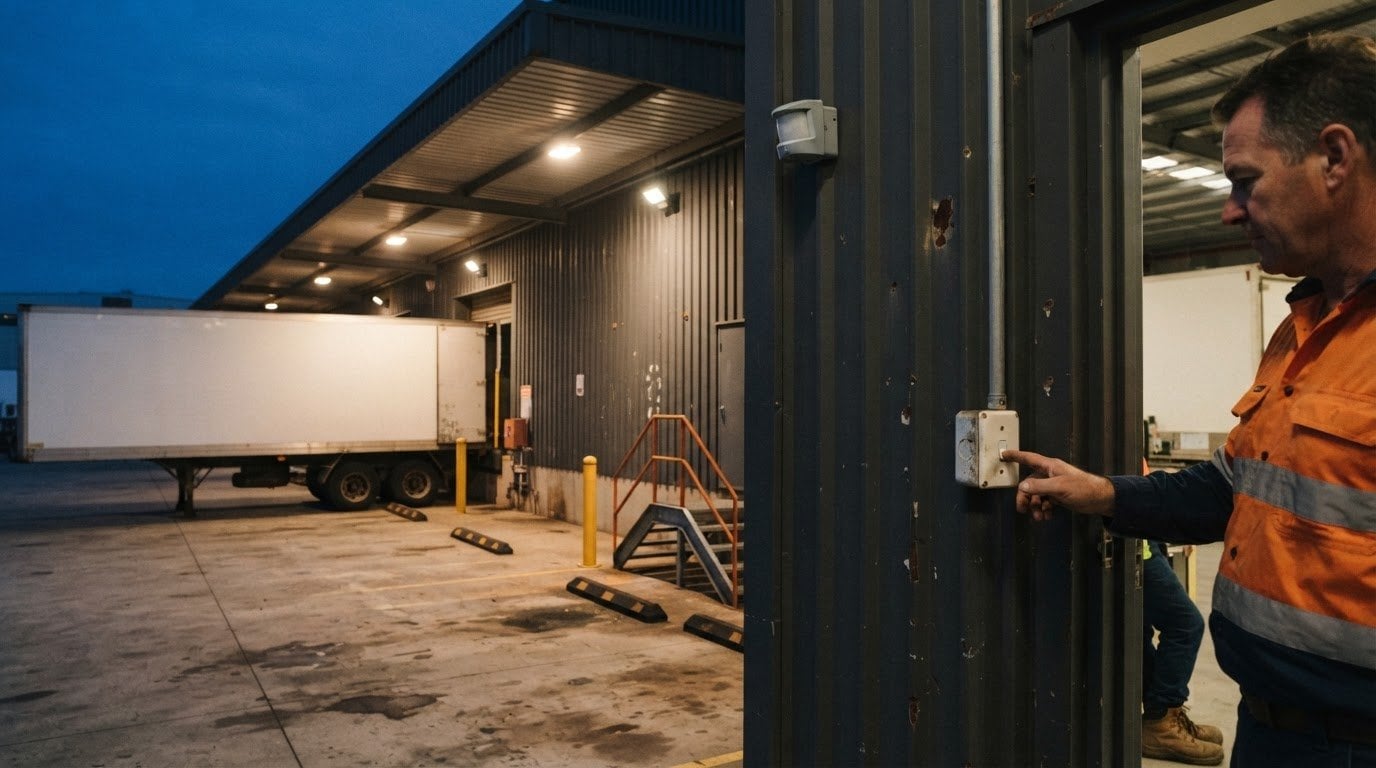
Commercial exterior lighting should do more than switch on and off. External lighting control solutions can coordinate schedules, scenes and sensor inputs, helping building teams manage lighting and energy use across outdoor areas. The right setup makes those areas easier to control.
A commercial control system should work reliably without complicating daily operations. To achieve that, match the control method and settings to the building layout, lighting requirements, and existing switches and lights.
This guide explains how lighting controls use sensor inputs, how scenes and schedules shape outdoor lighting, and what programming and maintenance involve. It also covers the project details that affect the design and how wireless switching products can fit into a commercial setup.
Key Takeaways
- Match the control platform to the building’s lighting layout and the information its sensors provide.
- Plan lighting scenes around how outdoor areas are used, then adjust them as needs change.
- Clear programming and ongoing maintenance help keep controls practical to operate over time.
- Wireless switching products can support lighting control while working with existing switches and lights.
Lighting controls platforms and sensor data
Australian commercial buildings can use standalone controls, networked lighting platforms or systems connected to broader building management. Wired and wireless options suit different sites, depending on the layout, existing equipment and operating needs. A standalone controller, for example, can serve a defined area, while a networked platform can coordinate settings across multiple zones.
Sensor inputs provide information that a lighting system can use to adjust its response. Sensor inputs can vary by system and site, so choose those that suit the area and its operating needs. Start by mapping outdoor areas, such as entrances, car parks and loading zones, then decide which inputs suit each space. A daylight sensor can inform control near naturally lit areas, while an occupancy sensor can respond to activity where it is installed.
Controls can help reduce energy use by switching lights off, dimming them or limiting operation when an area does not need full illumination. Schedules and sensor responses can prevent every zone from running at the same output throughout the night. A platform that monitors energy consumption can help building teams review usage and adjust settings. The outcome depends on the programmed response and how people use the space.
A 4-star Novotel hotel with 550 rooms illustrates the scale of a commercial property. Sites with varied spaces need control zones that reflect actual use, rather than one setting for the whole property. That distinction helps teams apply different schedules and sensor responses to areas such as entrances, paths and service zones.
Choose environmental protection for external equipment based on its exposure. Rain, dust, moisture, temperature changes and cleaning practices all affect where a device can be installed and what enclosure it needs. IP ratings describe protection against solids and water, but the appropriate rating depends on site conditions. A sheltered wall-mounted controller, for example, faces different exposure from an uncovered device. Match the rating and enclosure to the installation position, and consider how staff will access the equipment for operation and maintenance.
Custom lighting scenes and adjustments
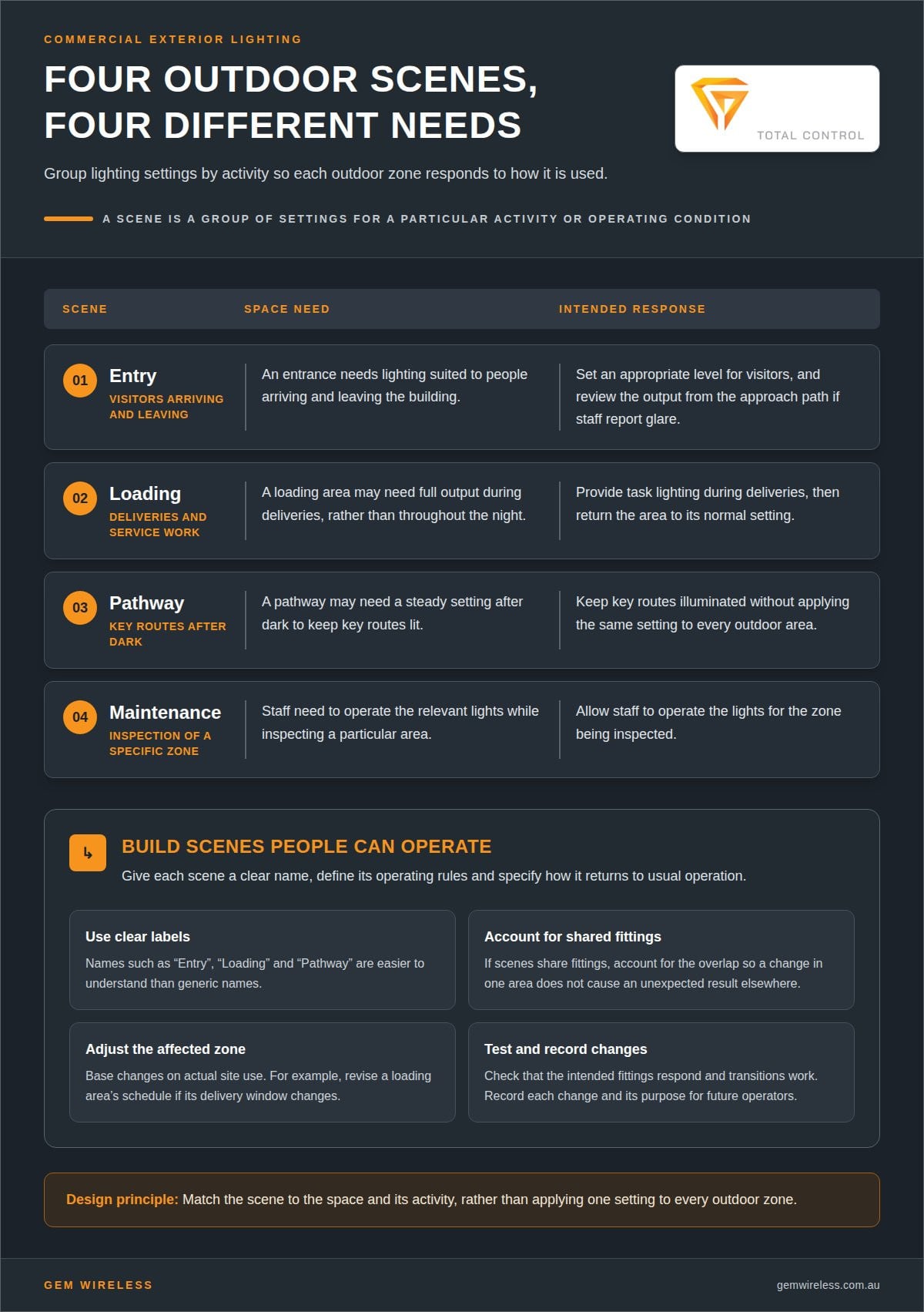
A lighting scene groups settings for a particular activity or operating condition. A commercial building might use one scene for its main entrance and another for a loading area, with different brightness levels and switching behaviour in each. This keeps the lighting response suited to the task instead of applying one setting to every outdoor zone.
First, identify the needs of each space. An entrance may need consistent lighting for arriving visitors, while a service area may need full output only during deliveries. A pathway may need a steady setting after dark. These requirements help determine which fittings belong in each scene and how settings should change as building use shifts.
- Entry scene: Set an appropriate level for visitors arriving and leaving.
- Loading scene: Provide task lighting during deliveries, then return to the normal setting.
- Pathway scene: Keep key routes lit without treating every outdoor area identically.
- Maintenance scene: Allow staff to operate relevant lights while inspecting a specific zone.
Next, give each scene a clear name and define its operating rules. Labels such as “Entry”, “Loading” and “Pathway” are easier to understand than generic names. Set active periods and specify how the system returns to its usual operation. If scenes share fittings, account for the overlap so a change in one area does not cause an unexpected result elsewhere.
Base adjustments on actual site use. If a loading area becomes busier during a new delivery window, revise its schedule rather than changing the whole property. If staff report glare near an entrance, adjust that zone’s output and review the result from the approach path. Record each change and its purpose so future operators understand the setting.
Test each scene in the area it controls before putting it into use. Confirm that the intended fittings respond, check transitions between settings, and make sure staff can select the right mode. Reviewing the scene after a change helps keep it useful as building operations evolve.
Lighting control design, programming and maintenance
A sound control plan links the site’s electrical design, operating needs and maintenance routine. Before programming begins, document the control zones, settings and environmental conditions.
Applicable installation standards
Australian projects should identify the electrical safety requirements and standards that apply to their specific installation. AS/NZS 3000 is a key wiring standard to assess, but the design must establish whether it applies to the proposed work and equipment. The project documentation should record relevant requirements for wiring, protection and control equipment.
Changes to an existing lighting circuit may involve different design considerations from a new external circuit. Define the work scope, equipment and site conditions first, so the design reflects the actual installation rather than assuming one standard applies everywhere.
Controller, sensor and installation costs
There is no single price for outdoor controllers, sensors and installation across Australia. The total depends on the number of control points, sensor types, wiring access, equipment location and programming needs. Several independently controlled zones require a different design from a single switching point serving one area.
To clarify the project scope, group costs under equipment, electrical work, programming and commissioning. A sensor added at an existing control point, for example, may involve different work from new cabling across a car park. A clear zone plan helps identify the main cost drivers before the design is finalised.
Weatherproof control selection and installation
Choose controls and enclosures to suit the conditions at their exact mounting locations. An exposed wall, a sheltered entrance and a wash-down area face different levels of moisture and dust. Match the equipment’s environmental protection to those conditions, and account for temperature changes, cleaning methods and servicing access.
When planning installation, position sensors to detect the intended activity without obstruction from walls or fixtures. Keep control equipment accessible for maintenance, while protecting it from direct exposure where the design allows. Test each device in its installed position to confirm it responds as intended.
Maintenance needs and security risks
Common faults include incorrect schedules, obstructed sensors, loose connections and settings that no longer match how a space is used. A maintenance routine should inspect equipment, test sensor responses and compare programmed schedules with actual operating needs. Record any changes so site staff can follow the current setup.
For security, limit access to control settings and protect account credentials when the platform uses them. Review access when staff responsibilities change. If a pathway light stops responding, check its zone, sensor and schedule before changing settings across the wider site.
Lighting control for commercial buildings
Commercial buildings need control designs that reflect how each outdoor area supports daily operations. External lighting control solutions work best when they account for access points, schedules and existing equipment. An office campus, for example, may have staff entrances, visitor parking and service access, each with different lighting needs. Start with a site plan, mark each controlled area and record its operating purpose.
Next, map how staff and visitors use the property at different times. A warehouse perimeter may need different settings during active deliveries than during quieter periods. A hotel may need reliable lighting around guest access while controlling other exterior areas separately. These examples show why one schedule for an entire site can be too broad. Separate zones let settings reflect each area’s function.
Commercial platforms can help teams monitor and manage energy consumption, making it easier to review whether schedules match building use. If a facilities team finds exterior lighting operating while a zone is unused, for example, it can review the relevant schedule and sensor response. Monitoring supports informed adjustments instead of relying solely on assumptions about site operations.
For a workable design, connect the building’s priorities to the control plan:
- Define the purpose: Record what each outdoor area supports, such as access, deliveries or staff movement.
- Set operating rules: Specify when each zone operates and how it responds to sensor input.
- Plan oversight: Decide who can review energy use and adjust settings.
- Document changes: Keep control settings and their reasons clear for facilities staff.
Well-designed external lighting control solutions also work with the building’s existing equipment and operating processes. Identify which lights need control, how the zones relate and what staff need to manage. Then test the programmed response in the relevant areas. The principle is simple: design around building use, with clear zones, practical schedules and energy monitoring that facilities teams can manage as operations change.
Gem Wireless
Gem Wireless supplies wireless control products for commercial lighting and switching projects that need a practical way to automate existing systems. Its products work with existing switches and lights without rewiring, making them suitable for adding control while retaining current equipment.
Switch Module Kits and Switching Modules support wireless switching, while Mains Powered Switches and Long Range Switches offer other options for a project’s setup. The right product depends on the existing switches, areas to control and building operations. These products suit projects that need wireless switching, rather than a complete lighting platform or programmed scene service.
For a commercial lighting project involving wireless switching, explore Gem Wireless products and choose the options that suit your setup.
Plan the next step for your building
Turn your site’s operational needs into a clear control brief. Identify which outdoor areas need independent switching, how existing lights and switches fit the plan, and where wireless control could help. This gives you a practical basis for deciding whether external lighting control solutions suit your building.
Gem Wireless offers Switch Module Kits, Mains Powered Switches and Long Range Switches for lighting and switching setups. These products can add wireless control while working with existing switches and lights.
Contact Gem Wireless to discuss your lighting setup and explore a suitable next step. A clear brief makes it easier to move forward with confidence.
Frequently Asked Questions
How do photocells, timers, motion sensors and smart controls compare for outdoor lighting?
Photocells respond to ambient light, timers follow programmed schedules, and motion sensors switch or adjust lighting when they detect activity. Depending on its features, a smart control system can coordinate settings across connected devices. At a building entrance, a photocell can respond to changing daylight; a motion sensor may suit a less-used service path. Choose controls according to the area’s use and the response required.
What are the best outdoor lighting control solutions for homes, businesses and industrial sites?
The right choice depends on the site layout, operating patterns and control requirements. A home might use a simple timer for garden lights, while a business may need separate controls for entrances and staff parking. An industrial site could need distinct settings for loading areas and perimeter routes. Map the spaces first, then select controls for each area instead of applying one approach everywhere.
What IP ratings and environmental protections are suitable for external lighting controls?
Choose an IP rating and enclosure suited to the control’s exact location and exposure to rain, dust, moisture, temperature changes and cleaning. A sheltered wall-mounted controller faces different conditions from an exposed device, so assess the installation position and access requirements.
building maintenancecommercial lightingexterior lightinglighting automationlighting controlslighting schedulessensor controlswireless switching