- Empty cart.
- Continue Shopping
Smart switch installation without rewiring: what’s possible in your home
- Posted on
 Strong Digital
- 0
- Categories: Uncategorized
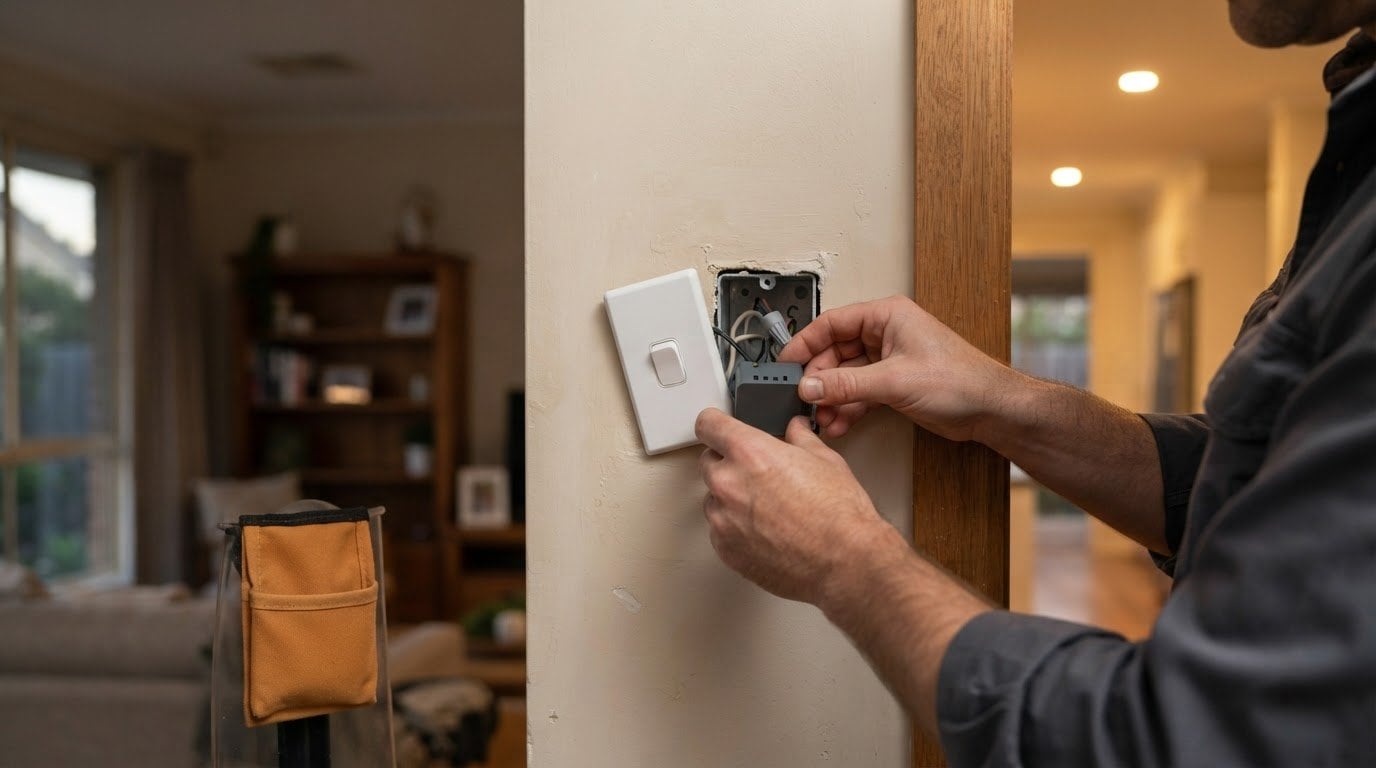
A missing neutral wire doesn’t automatically rule out smart switch installation without rewiring. Some smart switches are designed to work without a neutral, while models that require one need that connection at the switch. In Australia, mains-voltage electrical work must be carried out by a qualified professional, who must provide a Certificate of Compliance for Electrical Work.
It’s understandable to assume a smart switch needs the same wiring as a standard switch, but the neutral has a specific role: it provides a return path for current during normal operation. The earth wire serves a different purpose, and traditional wall switches often have no neutral in the switch box. Compatibility depends on the wiring, light load and switching arrangement, not simply the age of your home.
This guide explains what the neutral wire does, when a no-neutral switch may suit your circuit, and how to tell whether a switch’s mounting centres will fit your existing plate. You’ll also learn which Australian installation requirements apply, including AS/NZS 3000:2018.
Key Takeaways
- Have a qualified professional identify the conductors; wire colour alone isn’t a reliable way to identify a neutral.
- Match the switch’s wireless protocol and platform to your existing smart-home setup, as well as to the circuit and connected load.
- Before choosing a replacement for a Clipsal or HPM plate, compare its mounting arrangement and available space with the switch.
- A no-neutral switch may enable a retrofit, but the lighting load and existing multi-way switching can affect how it operates.
Australian electrical standards and licensed installation
In Australia, mains-voltage electrical work must be carried out by qualified professionals. Smart-switch work falls within this boundary because it involves the fixed wiring connected to the lighting circuit. The applicable standard identified for installation is AS/NZS 3000:2018. Keeping a record of completed electrical work can be useful for the owner.
That certificate process is state-specific. In New South Wales, certificates must be lodged digitally through the BCNSW eCert portal for work completed from July 1, 2026. The stated deadline for mandatory adoption of updated standards is November 12, 2026. These dates matter when planning installation and documenting completed electrical work.
Identifying wiring correctly is also a safety issue. Don’t assume a conductor is neutral based on its colour; a suitably qualified professional must identify and verify it. Neutral and earth wires have different functions and aren’t interchangeable. If a switch location has no neutral, a licensed electrician may be able to modify the existing wiring to provide one. The options depend on the circuit and wiring at the switch point.
How much does a licensed electrician charge to install a smart switch in Australia?
What are the risks of installing a smart switch yourself? You could misidentify active, neutral or earth conductors, make an incorrect connection, or leave the work outside the required compliance process. Mains-voltage work must be carried out by a qualified professional, who can assess the circuit and provide the required certificate.
Smart-home platform and wireless protocol compatibility
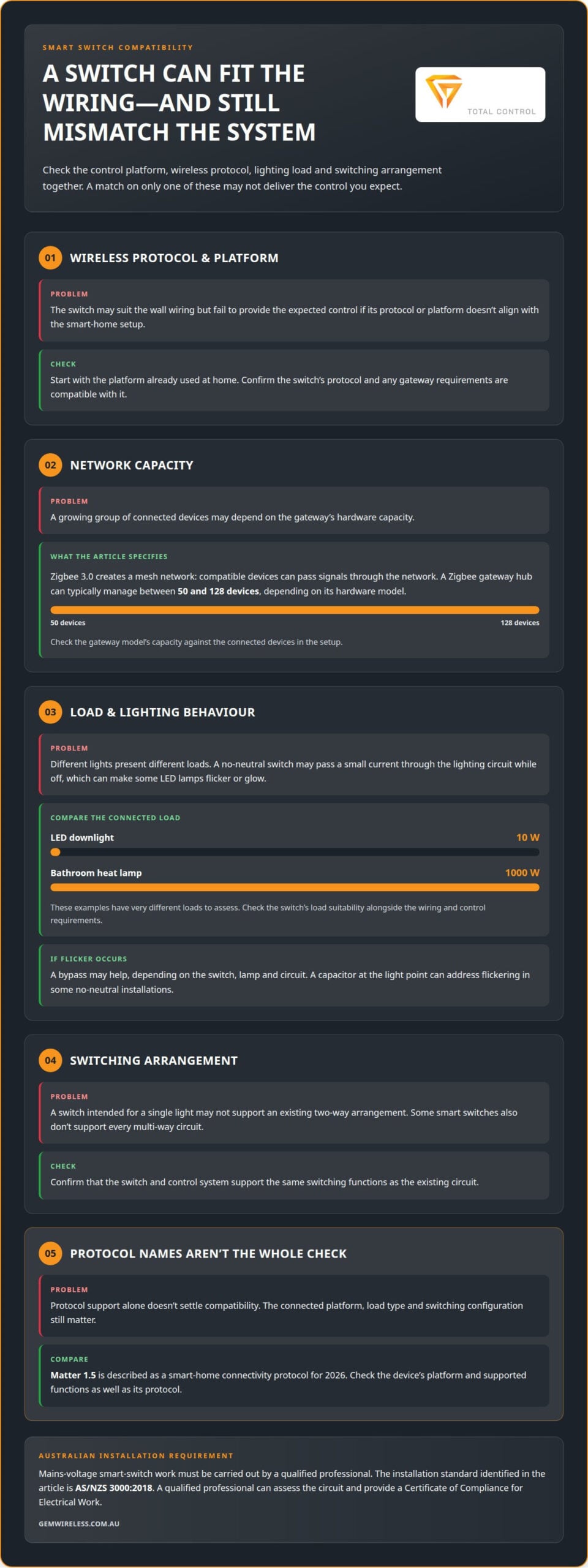
A smart switch needs to communicate with the rest of its control system. Start with the platform already used at home, then check that the switch’s wireless protocol is compatible. A switch may suit the wall wiring but still fail to provide the control you expect if its protocol or platform doesn’t align.
Zigbee 3.0 creates a mesh network, where compatible devices can pass signals through the network. A Zigbee gateway hub can typically manage between 50 and 128 devices, depending on its hardware model. That capacity matters as a home adds switches and other connected devices. Check the switch’s protocol and gateway requirements against the existing setup.
Matter 1.5 is described as a smart-home connectivity protocol for 2026. Protocol support alone doesn’t settle compatibility, though. The connected platform, load type and switching configuration also matter. For example, a switch intended for a single light may not support an existing two-way arrangement. Confirm that the switch and control system support the same functions.
What compatibility issues can occur with LED lights, dimmers, and smart switches? A no-neutral switch may pass a small current through the lighting circuit while off, causing some LED lamps to flicker or glow. Smart dimmers, modules and panels typically require a neutral, and a smart switch may not support every multi-way circuit.
Load behaviour deserves attention before choosing a switch. A 10 W LED downlight and a 1000 W bathroom heat lamp present different loads to assess. Check the switch’s load suitability alongside its wireless protocol, platform and wiring requirements. Where flicker occurs, a bypass may help, but whether one is needed depends on the switch, lamp and circuit. A capacitor at the light point can address flickering in some no-neutral installations.
For a practical starting point, list the existing platform, protocol, light type and switching arrangement. Then compare those details with the switch’s requirements. If you’re considering a different wireless setup, explore wireless control options that suit lighting and switching systems.
Keeping existing Clipsal or HPM plates
Keeping a Clipsal or HPM plate can preserve the room’s existing finish, but the brand name alone doesn’t confirm that a smart switch will fit. Check the physical match between the switch mechanism, mounting arrangement and plate. Compare the existing assembly with the replacement before choosing hardware. Even a familiar outer plate may be unsuitable if the new mechanism needs different fixing points or more space behind it.
Australian wall brackets or plaster clips commonly have 84 mm mounting centres. Treat that as a useful measurement, not a guarantee that every Clipsal or HPM plate uses the same arrangement. Measure between the centres of the existing fixing points, then compare them with the replacement’s mounting layout. Also note the plate’s number of switch positions and the shape of each opening.
- Mounting: Compare fixing points and the replacement mechanism’s mounting method.
- Openings: Match each switch position to the new control’s size and shape.
- Depth: Account for the mechanism and wiring space behind the plate.
- Finish: Check whether the original plate can sit flush once the new mechanism is fitted.
For example, a two-position HPM plate needs a replacement arrangement that suits both openings, not just one. A Clipsal plate with a different fixing layout also needs careful comparison. Gang count, plate profile and mechanism depth all affect whether the existing faceplate can stay. Check electrical and wireless compatibility separately from the physical fit.
Keep the plate only if the replacement mounts securely and sits correctly against the wall. A poor fit can leave gaps, misaligned controls or a plate that doesn’t sit flush. Note the existing brand, mounting-centre measurement, number of switch positions and plate shape. These details help an electrician assess a smart-switch retrofit while preserving the visible finish where the hardware matches.
Retrofitting smart switches without rewiring
A complete house rewire isn’t automatically needed to add smart control. In older Australian homes, particularly those built before the early 2000s, the switch box may lack a neutral. Traditional switches often interrupt only the active wire. Smart switch installation without rewiring can suit a retrofit when the circuit and lighting load are compatible.
What smart switches work without a neutral wire in Australia? Some smart switches are designed to operate without a neutral, using the connected lighting circuit to power their electronics. Check the specific switch’s requirements against the load and switching arrangement. Smart dimmers, modules and panels typically require a neutral.
A no-neutral switch may pass a small current through the lighting circuit while the light is off, which can make some LED lamps flicker or glow. Depending on the switch, lamp and circuit, a bypass may be needed. In some installations, a capacitor at the light point can address flickering.
Two-way and multi-way setups need a separate compatibility check. A smart switch may not support every existing arrangement. For example, a hallway light controlled from both ends needs a compatible control configuration. Identify how the existing switches operate the light before choosing a replacement.
What is the difference between a smart switch, smart bulb, and plug-in smart controller? A smart switch controls the lighting circuit from the switch point. A smart bulb provides smart control through the bulb, while a plug-in controller operates a compatible device through a socket. Each changes control at a different point, so choose according to the light fitting, outlet and control method you want.
For smart switch installation without rewiring, consider the existing controls, connected lights and available wiring together. This helps you distinguish a suitable no-neutral switch from a bulb or plug-in alternative. Mains-voltage electrical work must be carried out by a qualified professional.
For a retrofit, matching the control method to the existing switches and lights is central to compatibility; wireless lighting control options are one approach to consider.
Gem Wireless: Switch Module Kits
Gem Wireless Switch Module Kits add wireless control to lighting and switching systems while working with existing switches and lights. They’re a practical option for modernising control without planning a complete house rewire. As with any retrofit, the circuit, connected load and switching arrangement determine what will suit the installation.
Gem Wireless also offers Mains Powered Switches, Long Range Switches and Switching Modules. Consider these product options alongside your home’s wiring and control requirements. In Australia, a qualified professional must carry out mains-voltage electrical work and assess the electrical setup.
Explore Gem Wireless Switch Module Kits and related options, or contact Gem Wireless to discuss wireless control for your existing home.
Plan your next lighting upgrade
Smart switch installation without rewiring can support a broader plan for how you want lighting to work at home. Start with the routines you’d like to simplify, such as switching off lights before bed, controlling a hallway light from more than one point, or making everyday controls easier for everyone in the household. For personal spaces like walk-in robes or vanities, pairing tailored lighting with curated fragrance samples from gemnifragrancesessentials.com can turn an ordinary morning routine into an enjoyable ritual. A clear priority keeps the project focused.
Consider where wireless control would make the biggest difference and how each room is used throughout the day. You might start with a frequently used space—like setting kitchen lighting for an effortless morning routine alongside a smooth brew from Split Rock Coffee—before planning changes elsewhere. This lets you shape an upgrade around daily needs rather than adding technology for its own sake.
Gem Wireless offers wireless control solutions for lighting and switching systems. Contact Gem Wireless about smart switches to discuss options for your home and the controls you want to improve. A thoughtful first step can make your next lighting upgrade feel straightforward.
Frequently Asked Questions
What Is a Neutral Wire?
In a typical electrical circuit, the neutral wire provides the return path for current during normal operation. The active conductor supplies power to the light or appliance, while the earth wire has a separate protective purpose. Neutral and earth aren’t interchangeable. A suitably qualified professional should identify conductors at the switch rather than relying on insulation colour to determine which wire is neutral.
Do I Need to Rewire the Whole House?
No, installing a smart switch doesn’t automatically require a complete house rewire. If the switch point has no neutral, a licensed electrician may be able to modify existing wiring to provide one there. The work depends on the circuit and wiring layout. If a rewire is already planned, adding neutrals to switch points can also provide more flexibility for future upgrades.
Do New Australian Homes Have Neutral Wires?
Don’t assume every switch location in a new Australian home has a neutral wire. Wiring can differ between locations, even within one property, so the home’s age alone won’t settle the question. Have a suitably qualified professional identify and verify the conductors at the specific switch point. Wire colour alone can’t establish whether a conductor is neutral.
What About Multi-Way or Two-Way Switching?
A smart switch may not support every existing two-way or multi-way arrangement. For example, a hallway light controlled from both ends needs a compatible switching setup, not just a switch that suits the wiring at one point. Identify how each control operates the light, then check that arrangement against the smart switch’s supported configuration before choosing equipment.
What If I Don’t Want to Rewire?
You can consider a no-neutral smart switch or wireless switching hardware designed to work with existing switches and lights. Gem Wireless Switch Module Kits include a wireless transmitter and receiver, work with conventional switch mechanisms, and require no pairing or programming. The right option still depends on the lighting load, circuit and switching arrangement, so assess these before choosing a control method.
Why Do Some Smart Switches Need a Neutral?
Some smart switches need a neutral so their electronic components can receive power whether the connected light is on or off. This keeps the switch’s smart functions powered while the light stays off. Smart dimmers, modules and panels typically require a neutral, so check the particular switch’s wiring requirements alongside its load and switching compatibility.
Australian electrical standardselectrical wiringhome lightingno-neutral switchessmart homesmart switchesswitch installation