- Empty cart.
- Continue Shopping
Commercial Kitchen Lighting Control: A Practical Australian Guide
- Posted on
 Strong Digital
- 0
- Categories: Uncategorized
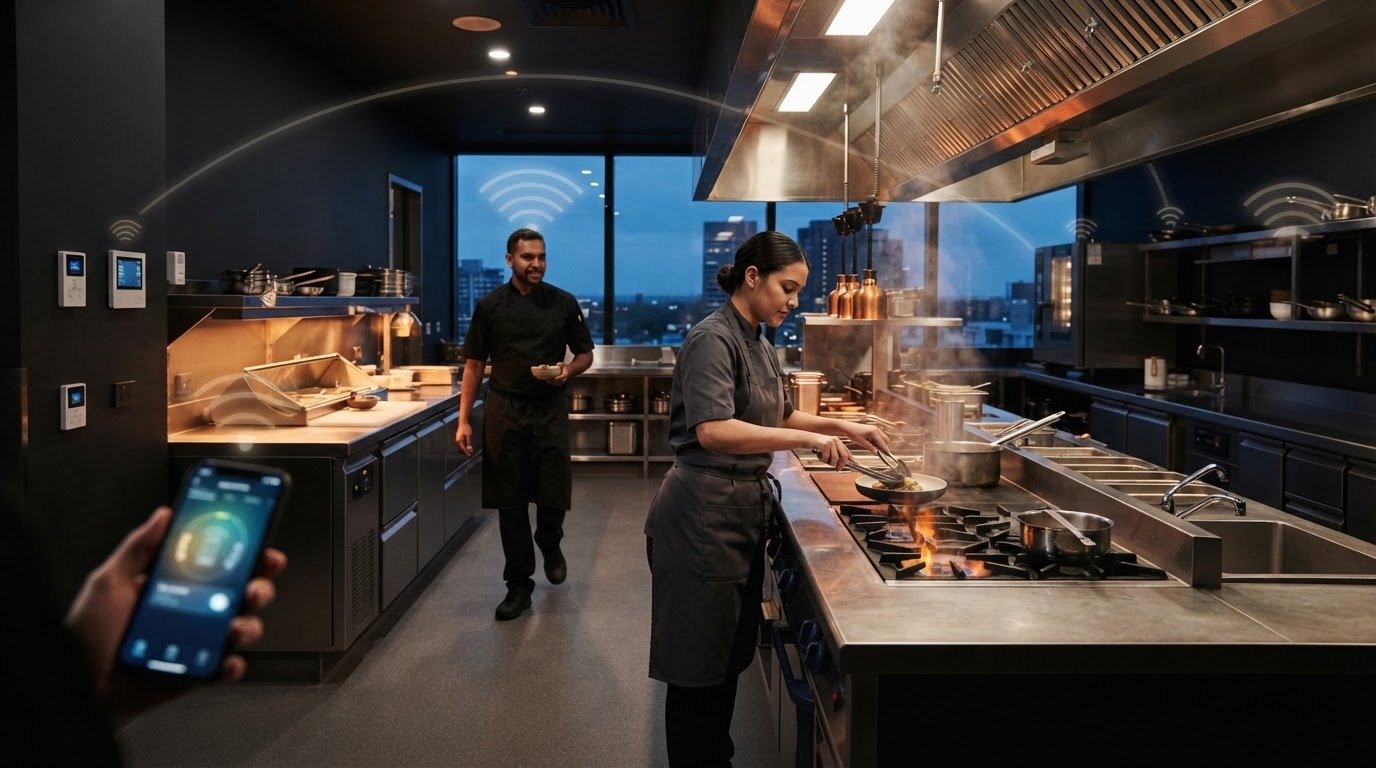
Why should a kitchen’s lighting switches follow the room layout when the work follows the workflow? Staff moving between prep benches, cooking stations and wash-up areas need light where each task happens. Practical commercial kitchen lighting control starts by mapping those tasks, not simply grouping fittings by location.
If existing switches don’t suit the way staff move through the kitchen, changing them can feel like a major project. Rewiring may disrupt a finished space, and the right setup depends on the lighting, the building and how the kitchen is used. Gem Wireless switching modules are designed to work with existing switches and lights without rewiring, subject to compatibility. This can be a retrofit option, but it doesn’t remove the need for professional assessment or any electrical work the project requires.
This guide explains how to plan lighting zones around kitchen tasks, compare wired and wireless control approaches, and identify technical details that need assessment. It also covers how wireless switching may help adapt control locations, so you can make a practical plan before changing the fit-out.
Key Takeaways
- Shape commercial kitchen lighting control around staff tasks and operating routines, rather than grouping switches by room layout alone.
- Plan lighting selection, light levels and switching controls as separate decisions that need to work together.
- Compare centralised switches, separate zone controls and wireless-added control points against your kitchen’s workflow.
- Map tasks, circuits and existing switch locations before choosing hardware, then have compatibility and installation requirements assessed.
- Wireless switching modules may offer a practical way to add control points in a retrofit while working with existing switches and lights, subject to compatibility.
Why commercial kitchen lighting control should follow the work
Commercial kitchen lighting control is the way lighting circuits are switched to support the kitchen’s operational needs. It determines which connected lights staff can operate and where they can do it. Lighting design is broader: it considers the fittings, their placement and the light needed for each task. Control and design are related, but they solve different problems.
That distinction matters on a busy shift. A well-lit room can still be awkward to operate if staff have to cross a work area to reach a switch, or if one switch controls lights that aren’t needed at the same time. Plan around the sequence of work and the people doing it, not just the shape of the room.
Which kitchen work zones may need separate control?
Start by tracing how work moves through the kitchen. Preparation benches, cooking lines, wash-up areas, storage and pass-through points may have different users and routines. A prep area might be active before service, while the wash-up area becomes busier later. Those patterns can help define useful switching zones.
Separate control is an option, not a rule. A small kitchen may work well with fewer, simpler groups. In a larger venue, splitting lights by task could let staff operate only the areas in use. Consider:
- Where staff start and finish each task.
- Which areas are used at the same time.
- When activity changes across a shift.
- Whether a switch is easy to reach without interrupting work.
Follow staff movement through a typical service, including preparation, cooking, plating and cleaning. Group lights in a way that feels natural to operate, without creating more controls than the team needs.
What does a lighting control system actually change?
A switch gives a person a way to operate the lights connected to a circuit. Switching modules are hardware that can form part of that control path. Depending on the setup and compatibility, wireless switching can add a control point without running new switch wiring. The lighting control system concept covers the broader ways lighting is operated across different settings.
Keep the function clear. Switching means turning connected lights on or off. Dimming changes light output; sensors can respond to conditions such as movement; and building-management features can coordinate systems across a site. These are distinct capabilities, not automatic features of every switch or module. Don’t assume an existing fitting or wireless device supports them.
For a practical plan, record which lights each switch operates and where staff need access. Then have the circuit and hardware compatibility assessed before making changes. This keeps the control decision grounded in the kitchen workflow and existing electrical setup.
How commercial kitchen lighting control works in an existing venue
In an existing kitchen, the control path starts with an instruction from a person or control point. A user operates a switch, compatible switching hardware acts on the relevant circuit, and the connected lights respond. The arrangement depends on the circuit and equipment already in place, so a new control point can’t be planned in isolation.
That matters in a retrofit. A switch might be poorly placed for the way staff move, but changing its location with conventional wiring can involve running new switch wiring through a finished space. Wireless switching hardware offers another approach: it can add a control point without running new switch wiring. It may simplify part of the retrofit, but it doesn’t guarantee a disruption-free project or remove the need to assess the installation.
Control hardware also doesn’t determine whether a fitting is suitable for a food-preparation environment. Fixture choice and food-safety considerations remain separate decisions. For context, review HACCP International’s guidance on lighting in food premises alongside the kitchen’s lighting and control plan.
Wired changes and wireless switching: what is different?
A wired change can provide a direct connection between a switch and the circuit it operates, but adding or moving a control may require new cabling and work within walls or ceilings. Wireless control hardware can provide an alternative way to add a switch point without new switch wiring. This can be useful where access is difficult or the venue wants to limit changes to finished areas.
The right option depends on the existing installation, intended control arrangement and compatible hardware. Electrical work and safe installation remain matters for qualified professionals. Wireless describes the control approach, not an exemption from assessment or electrical requirements.
For a wider look at retrofit choices in commercial settings, see the commercial wireless lighting retrofit guide.
Where switching modules fit into the control plan
A switching module is hardware used within a switching arrangement. Depending on its specifications and the installation, it may help connect a control point with the lights or circuit being operated. Modules don’t all share the same capabilities: compatibility depends on the product and existing electrical setup.
Before selecting a module, have the circuit layout and relevant equipment assessed. Record which lights are operated together, where staff need access and what change you want to make. These details help establish whether a switching module suits the intended setup, without assuming every fitting, circuit or control configuration will work.
Gem Wireless supplies wireless switching hardware and kits designed to work with existing switches and lights, subject to compatibility.
Compare control approaches against kitchen operating needs
The best arrangement is the one staff can use naturally during a shift. A simple kitchen may suit a central control point, while a venue with separate prep, cooking and wash-up routines may need more selective control. Wireless switching can change where a control point is placed, but it doesn’t automatically change how the lights perform or which lights are grouped together.
| Approach | May suit | Practical consideration |
|---|---|---|
| Centralised switching | A compact kitchen where one operator can reach the controls easily. | Simple to understand, but staff may need to leave their work area to operate the lights. |
| Separate zone switches | Areas with different tasks or operating times. | Gives staff more selective control, but the switch layout should stay clear and manageable. |
| Wireless-added control points | A retrofit where existing switch locations don’t suit the workflow. | May add a control point without new switch wiring, subject to circuit and product compatibility. |
Use the table as a planning aid, not a fixed prescription. The number of switches matters less than whether staff can identify the right control quickly and operate it without disrupting service. A wireless control point also doesn’t, by itself, split lights into new zones or provide dimming, sensing or other functions.
When is separate zone switching useful?
Separate zone switching may help when work areas follow different routines. For example, staff might turn on preparation lighting during opening, use cooking and pass-through areas through service, then keep wash-up lighting on while other tasks have finished. Cleaning may call for a different pattern again. After-hours checks can also mean only some areas are in use.
Map these routines before deciding where zones begin and end. If two areas are nearly always used together, separate switches may add needless steps. If their use often differs, distinct controls may better match the work. Don’t assume extra zones will reduce energy use; that depends on how lights are operated and would need to be assessed with measured evidence.
When might wireless control suit a retrofit?
Wireless switching may be worth considering where walls are finished, a switch is inconveniently placed or the renovation scope is limited. It can offer another way to position controls without running new switch wiring, while taking the existing installation into account. It’s not a promise of zero disruption or a substitute for electrical assessment.
Compatibility and circuit requirements shape whether the approach fits. The intended lights, switching arrangement and existing setup all matter, so have these details assessed before selecting hardware. For the basic retrofit concept, see this no-rewire lighting control guide.
Decision rule: choose the control approach that matches when and where staff operate each area, then check that the existing circuits and compatible hardware can support it.

Plan commercial kitchen lighting controls before choosing hardware
Good planning turns staff feedback into a clear brief before anyone compares switching hardware. For commercial kitchen lighting control, write down the outcome you want, such as a more convenient switch position or the ability to operate particular lights separately. Keep the brief practical. It should explain how the venue works, not prescribe technical settings that depend on the existing installation.
Work through these steps in order:
- Map tasks. Sketch work areas and note the lights staff use for preparation, cooking, washing-up, storage and service.
- Identify circuits. Record which lights operate together, using existing labels or staff observations. Leave electrical inspection and circuit identification to a qualified professional.
- Locate controls. Mark current switch points and note where staff would find a control easier to reach during normal work.
- Check compatibility. Compare the intended arrangement with the circuit, connected lights and current product specifications.
- Plan installation. Discuss the proposed changes, access and operational timing with a qualified electrical professional before work begins.
What information should a venue map first?
Make the sketch useful to the people assessing the job. Mark existing switches, the lights each one operates and the areas where staff need a convenient control position. Add who normally operates each area, when tasks begin and finish, and how routines change for opening, service and cleaning. Note access constraints too, such as a control staff can’t reach easily without crossing a busy work zone.
Ask team members who work different shifts to review the map. Their routines may differ, and a control arrangement should reflect how the kitchen operates across the day. Focus on the intended outcome. Avoid selecting a device or specifying settings before the circuit and equipment have been assessed.
What should be checked before selecting switching hardware?
Hardware selection depends on the actual installation. A qualified electrical professional should assess the circuit arrangement, connected lights, proposed control points and any electrical work involved. Then compare those details with the current specifications for the switching hardware. Don’t assume a product will suit every circuit or light type, or that wireless control also provides dimming, sensor operation or appliance control.
The professional assessment should also address applicable Australian requirements for the venue and proposed work. Keep a record of the intended switching arrangement and compatibility checks, so the decision is based on the installation rather than assumptions.
With the brief and assessment in hand, you can compare switching options against the venue’s priorities. Gem Wireless supplies switching modules and kits designed to work with existing switches and lights, subject to compatibility. Explore wireless switching options as part of your hardware research.
How Gem Wireless can simplify a commercial kitchen retrofit
Once the venue has mapped its routines and existing controls, it can compare hardware options against a clear operational brief. Gem Wireless supplies wireless switching hardware and kits for commercial lighting. Its systems are designed to work with existing switches and lights without rewiring, subject to compatibility with the specific installation.
This makes wireless switching a practical retrofit consideration when a control point is awkward to reach or doesn’t match the way staff use the kitchen. It’s a hardware option, not a replacement for suitable lighting design or professional assessment. The existing circuit, connected lights and intended setup still matter, and electrical assessment and installation remain separate parts of the project.
Where wireless switching may help a kitchen team
Consider a staff member who needs to operate a lighting circuit from a position that better suits their regular work route. A wireless control point may help adapt where staff operate the lights without running new switch wiring, if the product and installation are compatible. That can be relevant in a finished venue where changing switch wiring may affect walls or ceilings.
Keep the goal specific. Identify which control point needs to change and how that supports the work-zone routine. Wireless switching changes how controls may be placed; it doesn’t automatically alter light output, divide a circuit into new zones or provide dimming and sensor functions. The lighting itself still needs to suit the tasks and kitchen environment.
Gem Wireless’s product information covers its switching hardware options. Use the venue’s control brief and relevant product specifications to guide hardware selection, rather than assuming one arrangement suits every kitchen.
Choose a straightforward next step
For a wider view of commercial retrofit planning, explore the commercial wireless lighting solutions guide. It can help frame where wireless controls may fit alongside the venue’s existing lighting and switching setup.
Gem Wireless hardware is available to buy directly and through stockists across Australia. Before selecting an option, keep the documented workflow, circuit assessment and compatibility details together. That gives the venue team and qualified electrical professional a shared picture of the intended outcome, without committing to unnecessary changes.
For a practical next step, explore Gem Wireless switching solutions and consider how the available hardware may fit the retrofit plan. A clear brief helps focus on the control change the kitchen actually needs.
Take the next step towards a more practical setup
Your next move doesn’t need to be a full kitchen refit. Start with one control change that would make a normal shift easier, then use that goal to guide the project. A focused brief helps keep decisions about commercial kitchen lighting control grounded in the way your team actually works.
As you refine the plan, keep the desired result clear: which control point should change, who needs to use it and what part of the routine it should support. That gives your team a useful starting point for assessing suitable hardware and planning any work with a qualified electrical professional.
Gem Wireless offers wireless switching hardware and kits for commercial settings, designed to work with existing switches and lights where compatible. Products are available to buy directly and through stockists across Australia. Explore Gem Wireless switching solutions to see the hardware options for your plan.
A considered first step can make the next one simpler. Your kitchen’s control setup can evolve around the people and work it needs to support.
Frequently Asked Questions
Can wireless switching control work with existing commercial kitchen lights?
Yes, it may work with existing lights where the switching hardware is compatible with the installation. Gem Wireless systems are designed to work with existing switches and lights, but that doesn’t mean every light, circuit or control arrangement is suitable. For example, a venue changing the control for one cooking area should have the connected circuit and proposed hardware checked against current product specifications before choosing components.
How should a commercial kitchen divide lighting into control zones?
Group lights according to which tasks happen together and who needs to operate them. For instance, if staff regularly use a prep bench while the cooking line is inactive, consider whether those lights need separate operation. Ask staff from different shifts to describe their routines, then review whether the proposed groups are clear and practical. Avoid creating controls that add complexity without helping staff.
Does commercial kitchen lighting control require rewiring?
Not always. Wireless switching systems are designed to avoid new switch wiring, which may suit some changes to control locations in an existing venue. However, this doesn’t mean every retrofit can proceed without electrical work. The circuit, existing installation and chosen hardware affect what’s required. Have a qualified electrical professional assess the proposed change before work begins, and don’t treat “wireless” as a substitute for that assessment.
Can wireless lighting controls be added during a kitchen retrofit?
Yes, wireless controls can be considered as part of a retrofit, including where a venue wants to change how staff reach a switch. For example, a refurbishment may leave the existing control point out of step with a new work route. Record the intended control location and lights to be operated, then factor the existing installation and hardware compatibility into the retrofit plan before selecting equipment.
Who should assess electrical requirements for commercial kitchen lighting controls?
A qualified electrical professional should assess the electrical installation and any proposed changes. They can review the relevant circuits, connected lights and switching arrangement, and determine what electrical work and applicable Australian requirements need consideration. Give them a clear record of the venue’s intended control changes and current setup. This grounds the assessment in the actual project rather than assumptions about what a wireless product can do.
What is the difference between lighting control and lighting design?
Lighting design determines what lighting the kitchen needs and where it should be placed. Lighting control determines how people operate the lights connected to a control arrangement. For example, choosing suitable fittings for a task area is a design decision; deciding which switch operates those fittings is a control decision. They inform each other, but changing switches alone doesn’t assess whether the lighting suits the work.
Can one switch control multiple kitchen lighting circuits?
It may be possible, but it depends on the switching hardware, circuit arrangement and intended configuration. There’s a difference between operating multiple lights on one circuit together and controlling separate circuits from one switch. The latter needs particular attention to compatibility and how the circuits should operate. Have a qualified electrical professional assess the setup and check current product specifications before planning a shared control.
commercial kitchenelectrical retrofithospitality designkitchen fitoutlighting controltask lightingwireless switching