- Empty cart.
- Continue Shopping
S-Tech vs RevBC: Which Lighting Control Suits Your Build?
- Posted on
 Strong Digital
- 0
- Categories: Blog
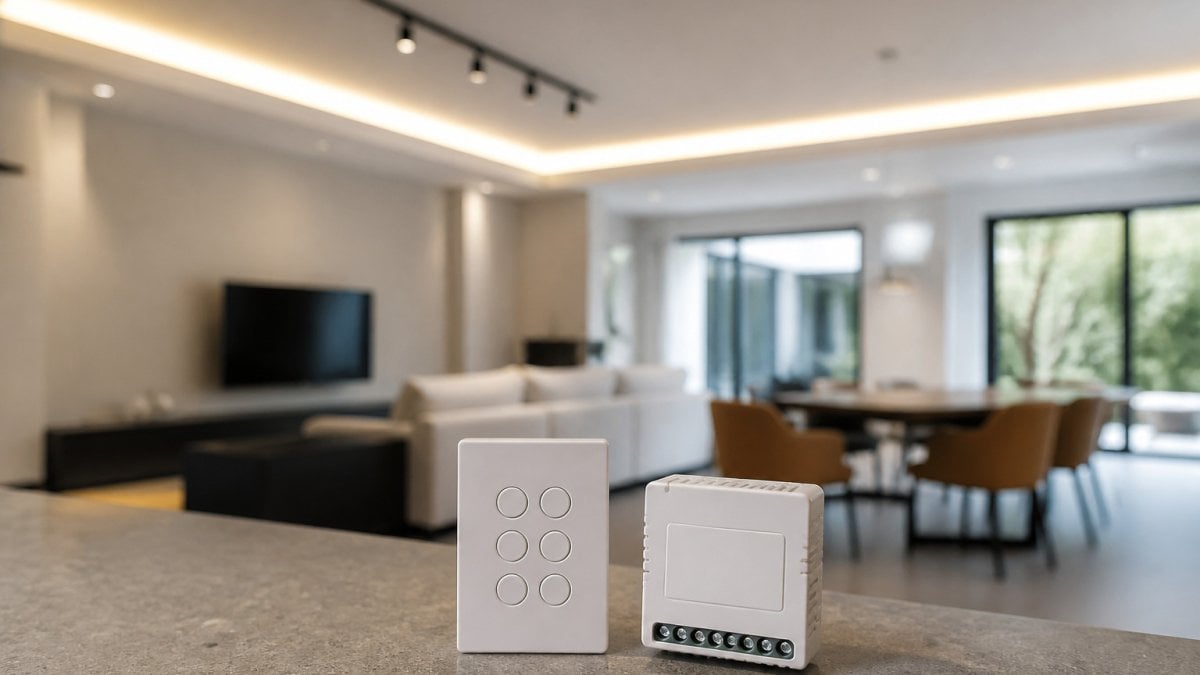
Quick Summary
S-Tech and RevBC differ mainly in how they connect switches to lights: S-Tech pairs individual switch modules, suiting retrofits, while RevBC centralises zones at a controller, suiting larger buildings. Wired lighting control needs cable runs, whereas wireless avoids most of that work. Verify the datasheet for your exact model before committing.
- Wired lighting control means planning every cable route before walls close.
- Wireless systems avoid most cable work, but still need switch-to-light mapping.
- Test wireless signal strength at the furthest switch location before committing.
- Many older switch points lack a neutral wire, so check wiring first.
- Ask suppliers for the datasheet of your exact model, not the family brochure.
Table of Contents
- Wired vs Wireless Lighting Control: The Core Differences
- How S-Tech and RevBC Lighting Systems Work
- Retrofit Suitability: Wireless Lighting Controls for Existing Buildings
- S-Tech vs RevBC: Flexibility, Sensors and Commercial Use
- Lighting Control System Installation: Cost, Commissioning and Support
- Choosing the Right Lighting Control for Your Next Project
- Frequently Asked Questions
S-Tech vs RevBC: Which Lighting Control Suits Your Build?
Last Updated: November 1, 2026
Wired vs Wireless Lighting Control: The Core Differences
Choosing between S-Tech and RevBC starts with a bigger question: wired or wireless lighting control. If you want to see the other realistic alternatives before deciding, read what the best alternatives to RevBC for commercial projects are. Wired systems run dedicated control cable from each switch to each luminaire or controller.
Gem Wireless builds its wireless switch module kits around that difference. Wireless control removes the need for a control-cable run, which can make it a practical choice for renovations.
Installation effort and control cabling
Wired control means planning every cable route before the walls close. Electricians must pull control cable alongside mains, terminate at each device and test each run. On a new build this is manageable, because the walls are open.
Wireless control avoids most of that work. The installer mounts a module behind each switch and pairs it to the lighting circuit, without chasing cable through ceilings and wall cavities. A common mistake is to assume wireless means no planning at all.
Reliability and communication limitations
Wired systems carry signals along a fixed physical path, so interference rarely affects them. Wireless systems depend on radio performance, and building materials, distance and nearby equipment can all reduce range. Before committing to any wireless system, test signal strength at the furthest switch location in the building.
How S-Tech and RevBC Lighting Systems Work
Both product families aim to give building owners control over lighting without the full cost of rewiring, but they get there by different routes. Understanding the mechanism matters more than the marketing label, because the mechanism determines what you can retrofit, how you commission it and what happens when something fails.
The common architecture
Every lighting control system, S-Tech and RevBC included, follows the same four-part chain:
- Input, a wall switch, sensor, timer or app command.
- Controller or gateway, the device that receives the input and decides what to do.
- Communication link, the wired bus, radio mesh or Wi-Fi path that carries the command.
- Receiver, the module, relay or driver at the luminaire that actually switches or dims the load.
The differences between S-Tech and RevBC sit in steps 2 and 3: how the controller talks to the receiver, and what that means for wiring, pairing and scale.
S-Tech: switch-module approach
- The switch position does not need a neutral wire in many configurations, which suits older Australian housing stock where the switch loop often lacks a neutral.
- Pairing is done at commissioning, so the relationship between switch and light is software-defined rather than fixed by copper.
- Because the switch is not carrying the load, you can add a second switch position later without pulling cable.
RevBC: controller-and-receiver approach
- Commissioning is more centralised: you configure zones at the controller rather than pairing each switch individually.
- Sensor and timer logic can be handled at the controller, which makes multi-sensor rooms (occupancy plus daylight plus manual override) easier to coordinate.
- The controller becomes a single point of dependency: if it fails, the behaviour of the whole group changes until it is replaced.
What to verify before you commit
Because published specifications for both families vary by model and firmware revision, do not rely on a generic description. Ask each supplier for the current datasheet and confirm, in writing:
- Supported loads, resistive, inductive, LED driver inrush and dimming protocol (leading edge, trailing edge, DALI or 0-10 V).
- Communication method, the radio band, mesh versus star topology, and whether a gateway is required.
- Neutral requirement, whether the switch module needs a neutral at the switch position.
- Compatibility, which existing switches, sensors and luminaires are on the approved list.
- Firmware and support, how updates are delivered and how long the model will be supported.
Pro Tip
Ask for the datasheet for the exact model number you are quoting, not the family brochure. Firmware revisions can change load ratings and sensor compatibility, and the brochure often lags the current release.
Ask for the datasheet for the exact model number you are quoting, not the family brochure. Firmware revisions can change load ratings and sensor compatibility, and the brochure often lags the current release.
A common pattern in the trade is that the two systems look interchangeable on a one-switch, one-light job, and diverge sharply once you reach ten zones, add sensors, or need to integrate with a building management system. That is why the next sections focus on retrofit reality and on the decision matrix for different building types.
Retrofit Suitability: Wireless Lighting Controls for Existing Buildings
Retrofitting is where wireless control earns its keep. For the full retrofit process and what to consider along the way, see our smart lighting retrofit guide for commercial properties.
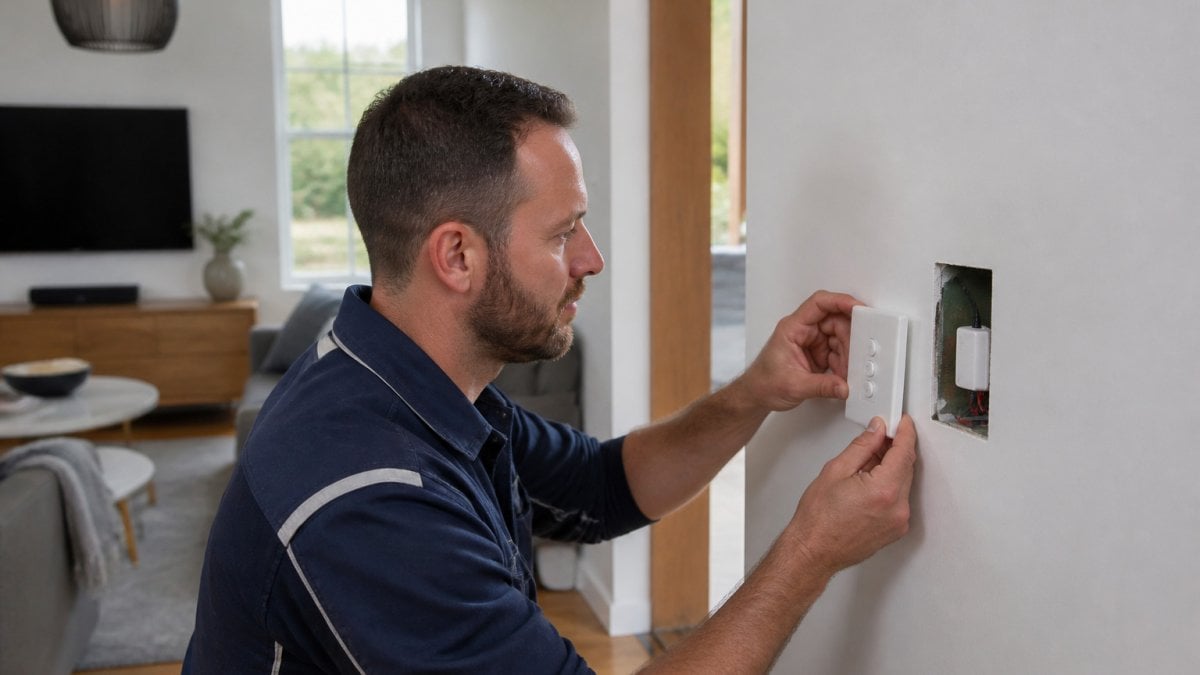
Many older homes and commercial spaces lack a neutral wire at the switch position.
Watch out: a retrofit can look straightforward on the first switch and become complicated at the fourth. Survey every switch point before quoting the job.
S-Tech vs RevBC: Flexibility, Sensors and Commercial Use
Flexibility is where the two approaches diverge most in day-to-day use, and it is the factor most often under-weighted at specification stage. The question is not which system is more flexible in the abstract, but which kind of change you expect to make in the next three to five years.
What flexibility actually means
There are four distinct kinds of change a lighting control system has to absorb:
- Re-positioning a switch, moving a control point to a new wall or door reveal.
- Re-zoning, changing which lights a switch controls, for example when a partition moves.
- Adding a control point, a second switch at another door, or a scene plate.
- Adding logic, occupancy, daylight harvesting, time schedules or integration with a BMS.
Sensors and occupancy detection
Occupancy and daylight sensors are the largest single source of energy savings in most commercial lighting control projects, but only if they are specified and calibrated correctly. The practical questions are: Achieving these efficiency gains requires a careful balance between task and ambient lighting to ensure that sensor coverage aligns with the specific functional requirements of each zone.
- Detection technology, PIR (passive infrared) suits small enclosed rooms with clear line of sight; microwave or dual-technology sensors suit larger or partitioned spaces where PIR can be blocked.
- Coverage and mounting height, a sensor rated for a 3 m ceiling will under-perform at 4.5 m; check the manufacturer’s coverage diagram rather than the headline range.
- Hold time and sensitivity, adjustable hold times matter in rooms where occupants sit still (offices, libraries) versus rooms with constant movement (corridors, stairs).
- Daylight harvesting, requires a photocell with a suitable range and a dimming-capable driver; not all receivers support dimming.
- Integration, confirm whether sensors report to the same controller as the switches, or need a separate platform and a separate app.
Watch Out
A sensor that is not calibrated to the room will either switch off on occupants or fail to save energy. Budget commissioning time for every sensor, not just every circuit.
A sensor that is not calibrated to the room will either switch off on occupants or fail to save energy. Budget commissioning time for every sensor, not just every circuit.
Decision matrix by building and use case
The following matrix is a practical starting point, not a substitute for a site survey. It reflects the trade-offs most installers report on Australian projects.
| Building / use case | Better fit | Why |
|---|---|---|
| Occupied home retrofit, no neutral at switch | S-Tech-style switch module | Avoids chasing cable and works without a neutral in many configurations |
| Small retail fit-out, frequent re-configuration | S-Tech-style switch module | Re-pairing is faster and cheaper than re-cabling when displays move |
| Multi-level hospitality venue with scenes | RevBC-style controller | Centralised scene and schedule logic across many zones |
| Office floor with daylight harvesting | RevBC-style controller | Sensor logic and dimming coordinated at the controller |
| Multi-building estate or campus | RevBC-style controller with gateway | Central oversight and consistent behaviour across sites |
| Heritage or strata building with minimal disruption | S-Tech-style switch module | Work contained to switch locations; no ceiling access |
| New build with open walls and a BMS | Either, specified early | Cable is cheap before walls close; integration is the deciding factor |
Commercial-scale considerations
Once a project moves beyond a single tenancy, four issues dominate:
- Scale of commissioning, pairing 200 switches individually is a different job from configuring 200 zones at a controller. Ask for a commissioning method statement.
- Support and warranty, confirm the warranty period, who attends site, and the response time for a failed controller or gateway.
- Integration, check whether the system exposes an API, BACnet or dry-contact interface for the BMS, and whether that is a licensed option.
- Cybersecurity and software lifecycle, ask how firmware updates are delivered, whether the gateway is on the building network, and how long the model will receive security patches. This is the area most often skipped at tender stage and most expensive to fix later.
A switch-module approach is often suited to small commercial and residential retrofits, because it keeps disruption low and leaves room to adjust later. For large buildings with complex sensor networks, multi-zone scenes or BMS integration, a controller-based design is usually the better fit. The right answer depends on which of the four kinds of change you expect most often, and on getting the datasheet for the exact model before you sign.
Lighting Control System Installation: Cost, Commissioning and Support
Installation cost goes beyond the price of the kit. To compare wireless kit costs against traditional wiring, see our wireless switch kits versus traditional wiring cost breakdown.
Commissioning deserves its own budget line. For a detailed installation and cost guide to wireless light switch kits, read wireless light switch kits: installation and cost guide.
Pricing for Gem Wireless products depends on quantity, the number of switch points and delivery requirements.
Support matters as much as the hardware. Ask each supplier what warranty applies, how firmware updates are delivered and who answers technical questions after installation.
Choosing the Right Lighting Control for Your Next Project
Start with the building, not the product. A new build with open walls has different priorities from an occupied renovation.
Then compare options against those requirements. Check compatibility with your existing switches and lights, the communication method, and the support you can expect after installation.
For many retrofit and small commercial projects, a wireless system such as Gem Wireless’s switch module kits offers a practical route to flexible control with less disruption.
Frequently Asked Questions
What is the difference between S-Tech and RevBC lighting systems?
S-Tech and RevBC both offer ways to control lighting without running traditional switch wiring through the walls, but they differ in how their components communicate, how they are commissioned and which switch and fixture types they support. Compare the published specifications for each product against your fixtures, switch types and building layout before deciding. Gem Wireless can also explain how its wireless switch module kits compare for your project. Current pricing depends on quantity, delivery and project scope, so request a quote from Gem Wireless through its website for accurate figures.
Are S-Tech and RevBC lighting controls wired or wireless?
Lighting control products in this category use a mix of approaches, and the exact communication method varies by product and model. Check each manufacturer’s current technical documentation to confirm whether a given device uses wired control cabling, wireless communication or both. Wireless options generally reduce the cable runs needed in existing walls, while wired systems offer a dedicated signal path. Confirm the details with the supplier before specifying either system for a project.
Can wireless lighting controls reduce retrofit installation work?
Wireless lighting controls can reduce retrofit work because they often avoid chasing new control cable through finished walls and ceilings. This matters most where the existing wiring has no neutral or where access is limited. Wireless switch module kits from Gem Wireless are designed to work with existing switches and lights, which can reduce labour and material costs on renovation jobs. Test compatibility with the specific fixtures and switch types in the building before committing to a full installation.
Which system is better for commercial lighting projects?
The better choice depends on the building, the number of lighting zones and how often layouts change. Commercial projects with frequent fit-outs or tenancy changes often benefit from systems that allow switch and sensor locations to be moved without rewiring. Consider installation time, commissioning support and ongoing maintenance alongside the purchase price. Gem Wireless can advise on how its plug-and-play kits fit retail and hospitality use cases.

lighting controllighting control system installations-tech vs revbc lighting systemswired vs wireless lighting controlwireless lighting controls for retrofit projects