- Empty cart.
- Continue Shopping
Zigbee vs RF wireless switch: what is the difference, and which should you choose?
- Posted on
 Strong Digital
- 0
- Categories: Uncategorized
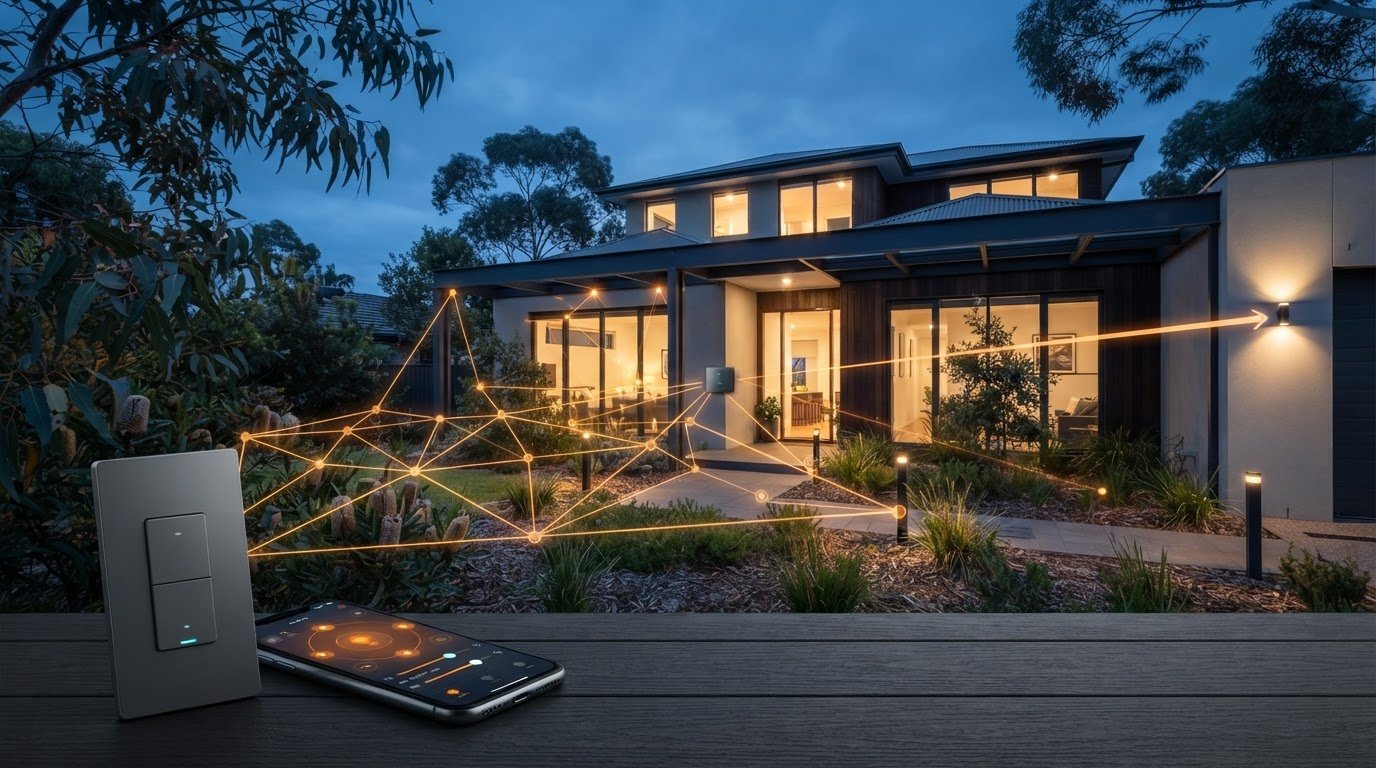
The switch that looks simplest on the box may not suit your lighting setup. In the zigbee vs rf wireless switch comparison, the key point is that these terms aren’t exact opposites: Zigbee is a wireless standard, while RF is a broad term for radio communication. That distinction can determine whether a switch connects with a wider smart-home system or sends a command to a compatible receiver.
Before buying, work out how you want to control the light and what needs to connect. Similar-looking switches can have different requirements, and it may not be obvious whether a setup needs a hub, an app or an internet connection, or whether a switch will work with your existing lights and controls.
This guide explains Zigbee and RF in plain language, compares how they work, and helps you choose based on the control you want and the layout of your project. You’ll also learn what to check for compatibility. For straightforward retrofits, purpose-built wireless switching hardware can provide another practical way to work with existing switches and lights without rewiring.
Key Takeaways
- For the zigbee vs rf wireless switch decision, compare the control method and ecosystem you want, not just the label.
- Check whether your setup needs a hub, app access or an internet connection before choosing a switch.
- Map the lighting task first: control of one light, multi-way switching, app access or wider automation can point to different solutions.
- Zigbee can support a broader connected setup, while a dedicated switching system may suit a focused lighting retrofit.
- Check compatibility between the switch, receiver, existing controls and lights before buying.
Zigbee vs RF wireless switch: what do the terms actually mean?
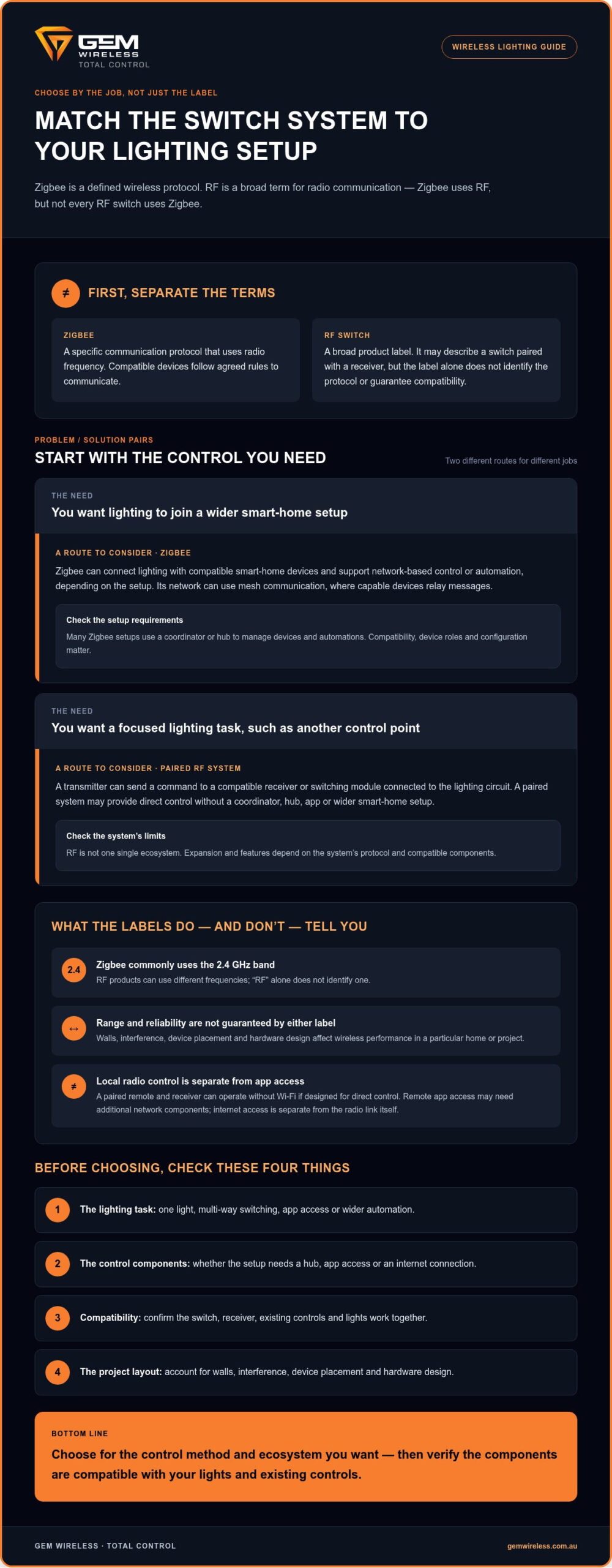
The key distinction is that Zigbee uses radio waves, so it’s a type of RF technology. RF, short for radio frequency, describes how a signal travels. It isn’t one specific protocol, and it doesn’t guarantee that two wireless devices will work together.
In brief: Zigbee is a defined communication protocol that uses radio frequency. “RF switch” is a broader label. It may describe a switch-and-receiver pair using a simpler, proprietary link, but the label alone doesn’t tell you the exact communication rules or compatibility.
Is Zigbee the same thing as RF?
Not quite. Zigbee communicates over radio frequency, but not every RF switch uses Zigbee. Think of RF as the signal type and the protocol as the agreed rules devices follow to send, receive and act on that signal.
Zigbee is commonly used for low-power smart-home devices. Its protocol sets out how compatible devices communicate, while a product described only as “RF” may use its own communication method. The Zigbee Wikipedia article provides a wider overview of the protocol and its applications. An RF label by itself doesn’t identify a frequency, so don’t assume one from the wording alone.
What does a wireless switch system include?
A basic wireless switching system typically has a switch that sends a command and a receiver or switching module that acts on it. The receiver may connect to the lighting circuit. In a compatible paired system, pressing the switch can control that circuit without a coordinator, hub, app or wider smart-home setup.
A Zigbee setup may also include a coordinator or hub to connect devices and support broader automation. The exact components depend on the devices and the control you want. A hub isn’t automatically required for every wireless switch, and internet access is separate from the radio link itself.
For a lighting retrofit, identify which parts need to communicate and what you expect them to do. Gem Wireless switching modules and kits are designed to work with existing switches and lights without rewiring. For a closer look at the hardware involved, read the wireless switching modules guide.
How Zigbee and RF wireless switches communicate
The main difference is the communication system behind the button press. A Zigbee switch joins a network using the Zigbee protocol. An RF switch may send a signal directly to a paired receiver or use another protocol. The word “RF” alone doesn’t tell you which method a product uses.
Zigbee commonly operates in the 2.4 GHz band. RF products can use different frequencies, so there’s no single frequency that applies to every RF switch. Zigbee networks can use mesh communication, where capable devices relay messages between nodes. Not every device relays traffic, and the network’s behaviour depends on device roles and setup. The NIST publication on Zigbee in building automation discusses Zigbee mesh networks in building control.
| Consideration | Zigbee | RF switch systems |
|---|---|---|
| Topology | Often a mesh, with capable devices able to relay messages. | May be a direct transmitter-to-receiver link or use another network arrangement. |
| Hub needs | Many setups use a coordinator or hub to manage devices and automations. | A paired system may work with its transmitter and receiver alone. |
| Expansion | Can add compatible devices to a network; compatibility and device roles matter. | Expansion depends on the system’s protocol and compatible components. |
| Control options | Can support network-based control and automation, depending on the setup. | May provide simple direct switching or other features, depending on the system. |
| Ecosystem | Designed for use with compatible Zigbee devices and platforms. | There’s no single RF ecosystem; products may use proprietary protocols. |
Does a Zigbee switch need a hub?
Many Zigbee setups use a coordinator or hub to add devices and manage automations. Some devices offer direct control options, but these depend on the specific devices and configuration. The switch’s local radio communication is separate from app access, which may rely on a hub, gateway or other system components.
Do RF switches need Wi-Fi or internet?
A remote paired with a receiver can operate without Wi-Fi if it’s designed for direct control. But RF covers many kinds of systems, so features differ. Local switching controls a light within its paired system; remote app access may require additional network components.
If your project centres on straightforward lighting control, explore wireless switching modules as a retrofit option designed to work with existing switches and lights without rewiring.
Zigbee vs RF wireless switch: compare the trade-offs
The best fit depends on what you want the switch to do. Zigbee can connect lighting with other compatible smart-home devices, but setup may involve a coordinator and checking that devices work together. A paired RF switch system can suit a focused task, such as adding another control point for a light, without building a wider automation setup.
Neither label guarantees better range or reliability. Walls, interference, device placement and hardware design all affect how a wireless signal performs in a particular home or project. Zigbee also uses RF, and its performance can vary with the network and devices involved. The Tech Briefs article on Zigbee RF power options offers further technical context on Zigbee’s radio options.
- Setup: A paired system may be straightforward for one control task. Zigbee can take more organising if you need to add a coordinator, pair devices and configure automations.
- Integration: Zigbee may suit a home with compatible smart devices or a platform such as Home Assistant. The Zigbee label alone doesn’t guarantee that a particular switch will integrate with your existing setup.
- Expansion: A Zigbee network can support additional compatible devices, but their roles and compatibility matter. RF systems vary: some are limited to paired components, while others offer broader features.
- Direct control: A transmitter paired to a receiver may handle a light without app-based control. Zigbee can also support local device control, depending on the devices and configuration.
- Simple switching: If the job is to control a light without wider automation, a dedicated switch-and-receiver arrangement may avoid components you don’t need.
When does Zigbee make more sense?
Consider Zigbee if you want lighting to take part in automations with other compatible smart-home devices. For example, you may want a lighting change to work alongside other connected devices through a platform such as Home Assistant. Check how the specific switch joins that ecosystem and what coordinator or setup it requires. Compatibility matters more than the protocol name on the packaging.
When can a simpler RF switch be a better fit?
If you need a clear control path between a switch and a lighting receiver, a paired system may be enough. Avoiding an additional hub can simplify a limited switching setup. That doesn’t mean every RF system is basic or lacks smart features; capabilities and compatibility vary. In a zigbee vs rf wireless switch comparison, match the system to the task, then consider the conditions where it will operate.
How to choose a wireless switch for your lighting setup
Start with the lighting task, not the protocol label. A clear plan helps you avoid choosing a switch that can’t do the job or won’t fit the controls you already have.
- Define the control task. Are you switching one light, adding multi-way control, using an app, or building wider automation? A single light controlled from another spot may need a different setup from lights included in connected routines.
- Map the circuit. Note the existing switches and lights, where a receiver or module could sit, and what power is available there. Don’t assume every switch or light can pair with every module.
- Choose the integration level. Decide whether direct switching is enough, or whether you want a hub, app control or smart-home automations. Each extra layer affects what needs to work together.
- Check compatibility. Match the exact switch, receiver or module, lighting load and any chosen platform. For mains-connected work, account for Australian electrical safety requirements and use a qualified electrician where applicable.
For broader kit-selection guidance, read the wireless light switch kit guide. Wireless switching can also be a practical retrofit option: Gem Wireless hardware is designed to work with existing switches and lights without rewiring.
What should you check before choosing Zigbee?
Identify the hub or coordinator you plan to use, the devices it supports, any app requirements and the automations you want. Check that the exact switch and receiver are compatible with your chosen platform, rather than relying on the Zigbee label alone. Think about where devices will sit and how the network can reach them. Actual coverage depends on the hardware and layout.
What should you check before choosing RF?
For a paired system, make sure the transmitter, receiver and switching function are designed to work together. Check the stated frequency, operating range and compatibility for those exact components; RF is a broad category, not a shared specification. For retrofit planning, see the no-rewire lighting control guide.
Use this framework to narrow down the zigbee vs rf wireless switch choice by the control you need, the circuit you have and the system you want. Explore wireless switching hardware for retrofit-focused options.
A practical next step: match the switching system to the job
There’s no universal winner in the zigbee vs rf wireless switch comparison. Choose based on the control you need, the equipment you already have and whether you plan to expand the system. A focused retrofit may only need a compatible switch and module. If you want lighting to work with other connected devices and automations, an ecosystem-led setup may be a better fit.
Don’t use “RF” as a shortcut for a particular feature set. It describes a broad range of wireless methods, while Zigbee is a specific protocol. Before choosing, consider the lighting task: which lights need control, where the switches and modules fit, and whether you need app access or wider automation. Then check that the components work together.
Where Gem Wireless hardware fits
For residential and commercial lighting projects, Gem Wireless offers switch module kits, mains-powered switches, long-range switches and switching modules. These hardware options can suit practical switching and retrofit needs. For broader facility upgrades where electrical work coincides with door safety and access hardware, incorporating certified solutions from dorrenhaus also ensures commercial spaces remain secure and compliant.
Gem Wireless wireless switching systems are designed to work with existing switches and lights without rewiring. That can make them worth considering when the goal is to add or adapt lighting control while keeping existing fittings and controls in place. Match the hardware to the circuit and switching task.
Make the choice with confidence
Zigbee may suit compatible, ecosystem-led control, where devices need to work together as part of a broader smart-home setup. RF covers a wider range of wireless methods, including focused switch-and-module arrangements. The right choice depends on compatibility and the features you’ll use, not on which label sounds more advanced.
Think about the job now and what may change later. If you only need direct control for a lighting retrofit, a dedicated switching approach may be enough. If you want coordinated automations, plan around the ecosystem and its compatible devices. Either way, checking the switch, receiver or module against the intended setup helps prevent a mismatch.
For a practical next step, explore Gem Wireless switching solutions and compare the hardware categories with your lighting project.
Choose the control that fits your next project
The key to the zigbee vs rf wireless switch decision is matching the system to your lighting task. Zigbee is a specific protocol that can support compatible smart-home ecosystems. RF is a broader term, so the label alone won’t tell you how a switch communicates or what it works with.
For one focused switching job, a dedicated switch-and-module setup may be all you need. For coordinated automations, consider the devices, hub and platform required, then check compatibility before choosing.
Gem Wireless offers switch module kits, switching modules, mains-powered switches and long-range switches. Its wireless switching hardware is designed to work with existing switches and lights without rewiring, making it a practical retrofit consideration. Customers can buy directly or through stockists across Australia and New Zealand.
Explore Gem Wireless switching solutions to find hardware options for your lighting project. With the control task and compatibility in mind, you can move ahead with confidence.
Frequently Asked Questions
Is Zigbee the same as RF?
No. Zigbee uses radio frequency, so it’s one type of RF technology, but RF is a broad term rather than a single protocol. Zigbee sets rules for how compatible devices communicate. A product described only as an RF switch may use a different, possibly proprietary, method. The label alone doesn’t tell you its frequency, features or whether it can connect to a particular smart-home system.
Does a Zigbee light switch need a hub?
Often, a Zigbee switch uses a coordinator or hub to join a network and support automations. Whether a hub is essential depends on the switch and the control setup. Some devices may offer direct control options, but these aren’t universal. Also separate local switching from app control: using an app may require additional system components, even if the switch communicates locally over Zigbee.
Can an RF switch work without Wi-Fi?
Yes, a paired RF transmitter and receiver can control a light without Wi-Fi if the system is designed for direct communication. That can suit a simple switching task without app access or wider automation. However, RF covers many different systems, and features vary. Check the exact switch and receiver requirements, especially if you want app control or integration with other connected devices.
Which has better range, Zigbee or RF?
Neither has better range in every setup. Zigbee and other RF systems depend on their specific hardware and communication design. Walls, interference and device placement can affect performance, as can whether compatible Zigbee devices relay messages across a mesh network. Check the stated operating range for the exact equipment and consider the layout between the switch and receiver. Don’t choose based on the RF label alone.
Can Zigbee and RF switches control the same light?
Not automatically. A Zigbee switch and a separate RF switch generally use different communication methods, so they won’t necessarily pair with the same receiver. Both could control one light only if the receiver or wider system is designed to accept both inputs, or a compatible interface connects them. Check the components and switching arrangement before combining systems to avoid compatibility issues or conflicting control.
Which wireless switch is easier to install in an existing home?
For one direct switching task, a compatible paired switch-and-receiver system may involve fewer setup steps than a Zigbee network with a coordinator and automations. The easier option still depends on the lighting circuit, receiver placement and existing controls. Wireless switching hardware can work with existing switches and lights without rewiring, but mains-connected work must account for Australian electrical safety requirements, with qualified installation where applicable.